Used Video Animator Studio for Windows?


Editors’ Review

Download.com staff
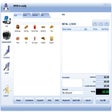
Video Animator Studio offers a comprehensive suite of professional video editing tools. Easily manipulate media, create dynamic transitions, and export in numerous formats.
  • Pros

    • Unlimited tracks on the timeline for intuitive editing.
    • Drag-and-drop functionality for easy media placement.
    • Extensive import support for various media formats.
    • Over 150 transition effects available.
    • Picture-in-picture video layering is supported.
  • Cons

    • Text styling options are limited to WordArt styles.
    • No mention of advanced color correction tools.
    • No mention of motion tracking features.
    • No mention of multi-camera editing support.
    • No mention of native 4K or HDR support.

Used Video Animator Studio for Windows?


Explore More


Full Specifications

GENERAL
Release
Latest update
Version
1.0
OPERATING SYSTEMS
Platform
Windows
Operating System
  • Windows 7
  • Windows 10
  • Windows Vista
  • Windows XP
Additional Requirements
None
POPULARITY
Total Downloads
143
Downloads Last Week
0

Report Software

Program available in other languages


Last Updated


Developer’s Description

Edit videos with a great amount of features.
Inside Video Animator Studio you will find almost all the features of a professional video editing application...and more. Editing features that will allow you to cut, copy and paste media clips easily and quickly, and the unlimited number of tracks on the timeline makes the video-audio editing process very intuitive. With drag-and-drop you can position media sources (like video, audio, images and others) on the editing timeline and create your masterpiece movie in little time. Between images and videos you can define a lot of transition effects, add some background music, add text similar to MS-Word WordArt styles, animated gifs, subtitles and automatically generated text to speech voices, for showing the world your finished creating. You can import from several file formats like MOV, MPG, MPEG, DIVX, MP4, 3GP, BMP, JPEG, PNG, GIF, MP3, WAV and many more, and all can be placed on any track on the timeline. By combining these media sources will allow you to create something rich and unique.

Additionally, you also can fade-in and fade-out audio media coming from audio-only or video files which contains audio tracks.Video Animator Studio will output video files in any of the following formats: AVI, MPEG, FLV, WMV, MOV, MP4, 3GP, DIVX, GIF.Optionally, Video Animator Studio can generate only an audio file from the composition, in any of the following formats: MP3, WAV, AAC, FLAC.Video Animator Studio make it easy to join, split, crop, trim and merge your video files. It includes more than 150 transitions for image and video files, giving you the chance to create very beautiful videos.Videos an also be superimposed (picture in picture) one over another and as many times as you want.

Download.com
Your review for Video Animator Studio