Used Universal TV Remote Control for Android?

Universal TV Remote Control Analysis

AI Assisted Content ·

Not written by CNET Staff.

Universal TV Remote Control is a versatile Android application designed to transform your smartphone into a remote for your television. It supports both smart TVs and traditional TVs equipped with infrared capabilities. Users can easily set it up by connecting their smartphone and TV to the same Wi-Fi network, or by utilizing the IR feature if available. This app not only replicates standard remote functions but also enables media casting from mobile devices to smart TVs, making it a valuable tool for home entertainment.

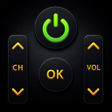
The application boasts an array of features that enhance user experience, including voice search, volume control, and navigation capabilities. Users can manage various functions such as power on/off, channel selection, and playback controls seamlessly. The interface is user-friendly, allowing for quick selection of TV brands and straightforward operation. In cases where a specific TV brand is unsupported, users can reach out for assistance, ensuring a broad compatibility range and ongoing support for a comprehensive remote experience.

Enlarged image for Universal TV Remote Contr…
Universal TV Remote Control 0/1

Used Universal TV Remote Control for Android?

Explore More


Full Specifications

GENERAL
Release
Latest update
Version
2.9.7
OPERATING SYSTEMS
Platform
Android
Operating System
Android 15.0
POPULARITY
Total Downloads
996
Downloads Last Week
0

Report Software

Program available in other languages


Last Updated


Developer’s Description

The No. 1 Universal TV Remote Control - Smart and IR Remotes App in more than 100 countries. Remote control for SONY Bravia Android TV's added...

The No.1 Universal TV Remote Control - Smart and IR Remotes App in more than 100 countries.

Remote control for SONY Bravia Android TV's added with powerful Voice Search Feature

SmartTV features are available now in the top and most simplest Universal TV Remote Control App.

Smart Universal Remote Control TV functionalities are currently available for SONY Bravia Android TV's, LG Smart TV, Roku, Google Chromecast, Android TV and Apple TV.

The only setting you have to make is to connect the mobile device and Smart TV on the same WiFi Network and you are ready to go.

Now you can Cast media files stored on your mobile phone to your Smart TV screen.

Smart TV functionalities

>> Power Control.

>> Mute / Volume Control.

>> Smart Sharing / Casting: View your Pictures and Videos, and listen to music on your TV.

>> Mouse Navigation and Easy Keyboard.

>> Input

>> Home

>> Apps installed on your TV.

>> Channel lists / Up / Down.

>> Play / Stop / Reverse / Fast Forward.

>> Up / Down / Left / Right Navigation.

The TOP Universal TV remote control app that has been downloaded and used by more than 50 Million users throughout the world. The simplicity which this app offers to its users has been acknowledged and appreciated widely throughout the world.

So, Get rid of the annoying regular temper problems caused by:

- Losing your remote,

- Batteries worn out,

- Smacking your little sibling for breaking the remote,

- Biting and / or boiling your batteries in water hoping it would result in magically recharging them, etc.

Just right before one of your favourite TV season or show is about to start, OR your favourite sports game is about to begin, OR you want to watch news and your TV remote control is not within your reach.

The Best Feature about Universal TV Remote Control - Smart and IR Remotes App

No setup required. Just select your TV brand and start using it.

Very Useful

It is always good and easy to use a single Universal remote control device to control all you electronic equipments. As mobile phone has become a major gadget that people always carry with them, so having an application installed on your mobile device that works as a TV remote control will make your life easier. This free, powerful and efficient universal remote control app will make your life easy.

Very easy to Contact Us

CodeMatics very cordial Customer Support is here to assist you in anything you need. Our team is working continuously to include maximum TV brands and functionalities. The smart remote control app is being updated accordingly.

If your brand is not listed or the TV remote control application is not working with your television, please drop us an email with your TV brand and remote model. We will work on to make this application compatible with your TV brand.

Features of Traditional IR Universal Remote Control:

- Power ON / OFF Control.

- AV / TV.

- Mute / Un-Mute.

- Channel Digits buttons.

- Channel index and lists.

- Volume Up Control.

- Volume Down Control.

- Channel Up Control.

- Channel Down Control.

- Menu Button with up / down and left / right Controls.

- Red / Green / Blue / Yellow (Multiple purpose soft keys).

Note:

- Phone or Tablet with built in IR blaster is required for the Traditional IR TV devices.

- For Smart TV devices, both the smartTV device and user's mobile device must be connected to the same network.

- This app is compatible with the TV brands / models currently available in the app. This is an unofficial TV remote application for these Television brands.

- "Email us" the Model of your TV and we will try our best to make it available as soon as we possibly can. Your patience and positive feedback will be highly appreciated.

ENJOY!!!! Your feedback is very important to us.


Download.com
Your review for Universal TV Remote Control
Download.com

AI Assisted Content Disclosure

Content created and reviewed by Softonic with information obtained from CodeMatics Media Solutions, using AI.

CNET's editorial team was not involved in the creation of this content. Opinions, analysis and reviews were not provided by CNET.