Used TwistedWave Audio Editor for iOS?


TwistedWave Audio Editor Analysis

AI Assisted Content ·

Not written by CNET Staff.

TwistedWave Audio Editor is a robust multimedia application designed for iPhone users, specializing in audio editing and processing. This full version program offers a range of features including multi-track editing, support for various audio formats, and tools for recording and modifying audio clips. Users can easily cut, copy, and paste audio segments, apply effects, and adjust volume levels with precision, making it suitable for both amateur and professional use.

Top Recommended Alternative
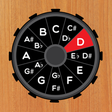
In addition to its editing capabilities, TwistedWave Audio Editor supports cloud storage integration, allowing users to seamlessly import and export files from popular services. The user interface is intuitive, designed to facilitate quick access to essential features while providing a detailed view of audio waveforms. With its comprehensive toolset, TwistedWave Audio Editor stands out as a versatile solution for anyone looking to create and manipulate audio content on their iPhone.

Enlarged image for TwistedWave Audio Editor
TwistedWave Audio Editor 0/1

Used TwistedWave Audio Editor for iOS?


Explore More


Full Specifications

GENERAL
Release
Latest update
Version
1.27
OPERATING SYSTEMS
Platform
iOS
Operating System
iOS 12.1.2
Additional Requirements
Compatible with: iPad2Wifi, iPad23G, iPhone4S, iPadThirdGen, iPadThirdGen4G, iPhone5, iPodTouchFifthGen, iPadFourthGen, iPadFourthGen4G, iPadMini, iPadMini4G, iPhone5c, iPhone5s, iPadAir, iPadAirCellular, iPadMiniRetina, iPadMiniRetinaCellular, iPhone6, iPhone6Plus, iPadAir2, iPadAir2Cellular, iPadMini3, iPadMini3Cellular, iPodTouchSixthGen, iPhone6s, iPhone6sPlus, iPadMini4, iPadMini4Cellular, iPadPro, iPadProCellular, iPadPro97, iPadPro97Cellular, iPhoneSE, iPhone7, iPhone7Plus, iPad611, iPad612, iPad71, iPad72, iPad73, iPad74
POPULARITY
Total Downloads
311
Downloads Last Week
0

Report Software

Last Updated


Developer’s Description

A very easy to use audio editor and recorder.
A very easy to use audio editor and recorder. With TwistedWave, you can: Copy and paste your audio, Undo/redo instantly, Apply effects, such as fade in/out, delay, compressor/limiter, pitch shifting/time stretching, amplify or normalize the audio to a given level, filter to adjust the level of the low or high frequencies, Record audio from other applications using Audiobus. Different file formats and exporting options are available to share your audio: WAV, AIFF, CAF, AAC, MP3 and FLAC audio support, Import/export audio with iTunes file sharing, Import files from the iPod library, Send your audio by mail, Email a link to an audio file, Upload to an FTP or SFTP account, Import and export files from/to Dropbox and Box.com, Use AudioCopy/Paste to share audio with other applications, Send an audio file to another application, Browser access to allow downloading and uploading files from/to TwistedWave. The free "TwistedWave Recorder" application is the same as "TwistedWave Audio Editor", but with the editing and extra export functions available through in-app purchases.

Download.com
Your review for TwistedWave Audio Editor
Download.com

AI Assisted Content Disclosure

Content created and reviewed by Softonic with information obtained from TwistedWave, using AI.

CNET's editorial team was not involved in the creation of this content. Opinions, analysis and reviews were not provided by CNET.