Used TSF Weather Pendants Widgets for Android?


TSF Weather Pendants Widgets Analysis

AI Assisted Content ·

Not written by CNET Staff.

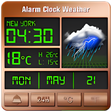
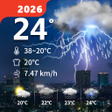
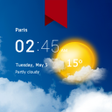
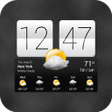
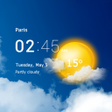
TSF Weather Pendants Widgets enhances the Android user experience by providing dynamic weather information through visually appealing widgets. This application offers a variety of customizable weather widgets that display real-time data, including temperature, humidity, and forecasts, directly on the home screen. Users can choose from different styles and sizes, making it easy to integrate weather updates seamlessly into their device interface.

Top Recommended Alternative

In addition to basic weather information, the app facilitates location-based services, allowing users to receive accurate forecasts for multiple locations. The intuitive design makes it accessible for users of all levels, and the widgets can be personalized with various themes and backgrounds. TSF Weather Pendants Widgets stands out for its aesthetic appeal and functionality, making weather tracking an engaging part of the user’s daily routine.

Enlarged image for TSF Weather Pendants Widg…
TSF Weather Pendants Widgets 0/2

Used TSF Weather Pendants Widgets for Android?


Explore More

Full Specifications

GENERAL
Release
Latest update
Version
1.1
OPERATING SYSTEMS
Platform
Android
Additional Requirements
None
POPULARITY
Total Downloads
23
Downloads Last Week
0

Report Software

Program available in other languages


Last Updated


Developer’s Description

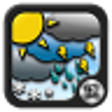
TSF Weather pack contains Animated Weather clouds, Sun and more at 60 FPS.
We all love these pendants. This is the Weather pendants widgets for TSF Shell used as fun decorations; Control the weather on your device. All the Weather pendants are hand made animated at 60 FPS. Watch video. Rain, snow, lighting bolts, floating sun and more. I made these animations with the same love i have for the amazing TSF Shell launcher. Check the Free TSF Animated Pendants at the play store http://goo. gl/3KcVVENotes: This works only on TSF Shell launcher. Tap on a pendant to stop it from moving (the sun floats). Tap again and the speed will change. Tap and hold in order to resize and move them. Add them from the Ha-ha icon in the side bar or from adding a TSF widget decoration and then choose the Weather Widgets pendants. Please rate these wonderful pendants. DISCLAIMER: For some people the Rainbow clouds animation pendant may be too bright on the eyes as it uses colorful moving bright colors and lights so if you suffer from looking at bright flashy colors do not use the rainbow pendant. This developer and its affiliates do not take any responsibility for any damages or injuries. Enjoy.

Download.com
Your review for TSF Weather Pendants Widgets
Download.com

AI Assisted Content Disclosure

Content created and reviewed by Softonic with information obtained from Technology Discovery, using AI.

CNET's editorial team was not involved in the creation of this content. Opinions, analysis and reviews were not provided by CNET.