Used TrayBarNotebook with EMail monitor for Windows?


Editors’ Review

Download.com staff
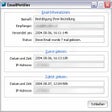
This application manages new email notifications and synchronizes your computer's clock with atomic time servers using NTP.
  • Pros

    • Monitors POP3 email for new messages
    • Provides wave and visual notifications
    • Allows hotkey access to notebook
    • Synchronizes computer clock with atomic time
    • Uses high precision NTP protocol
  • Cons

    • Only monitors one email address
    • Limited to ten pages for text
    • Screensaver features are optional

Used TrayBarNotebook with EMail monitor for Windows?


Explore More


Full Specifications

GENERAL
Release
Latest update
Version
02.03
OPERATING SYSTEMS
Platform
Windows
Operating System
  • Windows 10
  • Windows XP
  • Windows 95
  • Windows 2000
  • Windows 98
  • Windows NT
  • Windows ME
Additional Requirements
Windows 95/98/Me/NT/2000/XP
POPULARITY
Total Downloads
177
Downloads Last Week
0

Report Software

Program available in other languages


Last Updated


Developer’s Description

Manage and get notification about new e-mail messages.
EMail monitor with wave and visual notification. It allows to keep operatively the text on ten pages. The icon of a notebook after autostart is placed in TrayBar. The call of a notebook is possible on a hot key. POP3 EMail monitor seasonly checks presence of the new letters (not registered 1 address). Program lets you synchronize your computer's clock with any Internet atomic clock. It uses a high precision network time protocol (NTP) which provides accuracy of several milliseconds depending on the characteristics of the synchronization source and network paths. The startup together with boot Windows (the option). Startup screensaver on keystroke PAUSE (the option). Startup screensaver when mouse in left top corner of the screen (the option). Version 02.03 allows synchronizing clock with any Internet atomic clock.

Download.com
Your review for TrayBarNotebook with EMail monitor