Used Theme & Launcher for Moto Z3 Play / G6 Play. for Android?


Theme & Launcher for Moto Z3 Play / G6 Play. Analysis

AI Assisted Content ·

Not written by CNET Staff.

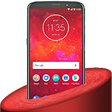
Theme & Launcher for Moto Z3 Play / G6 Play is a free Android app designed to enhance the visual appeal of Moto Z series smartphones. This application offers users a wide range of customization options, allowing them to change themes, wallpapers, and icons effortlessly. With its user-friendly interface, users can easily navigate through various themes and set them up according to their preferences. The app is compatible with all devices in the Moto Z series, ensuring a tailored experience for users looking to refresh their device's appearance.

The app's features extend beyond simple theme changes; users can personalize their home and menu screens, alter icon colors, and modify font styles. Additionally, it supports various wallpaper options, allowing for a unique look that can be adapted to individual tastes. The ability to customize both the aesthetic and functional aspects of the device makes this app a versatile tool for Android users seeking a personalized smartphone experience.

Enlarged image for Theme & Launcher for Moto…
Theme & Launcher for Moto Z3 Play / G6 Play. 0/3

Used Theme & Launcher for Moto Z3 Play / G6 Play. for Android?


Explore More

Full Specifications

GENERAL
Release
Latest update
Version
1.3
OPERATING SYSTEMS
Platform
Android
Additional Requirements
None
POPULARITY
Total Downloads
37
Downloads Last Week
0

Report Software

Program available in other languages


Last Updated


Developer’s Description

Theme, launcher & live wallpaper (HD Background) for Motorola Moto Z3 Play / G6 Play.

Theme, launcher & live wallpaper (HD Background) for Motorola Moto Z3 Play / G6 Play. Personalising your wallpaper, icons and widgets has never been easier with Moto Z3 Play / G6 Play, the FREE customisation launcher app!

It's time to beautify your screen in contemporary style with our beautiful theme & launcher.

Not just that, this theme bundles awesome HD 4K love wallpapers and totally custom icons for your phone. Install this theme right away and get in contemporary style. Themes support following launchers:

1. Suma Launcher (Android Oreo 8.0 Look also Android P 9.0).

2. Nova Launcher.

3. ADW Launcher.

4. Lucid Launcher.

5. TSF Launcher.

6. Zero Launcher.

7. Next Launcher.

8. Line Launcher.

FEATURES

Amazing static HD 4K live wallpapers.

White collection of bundles of icons pack.

Customize full fledged animated look.

Both landscape and portrait support for phone and tablets.

Easy to use.

Small in size and very fast and simple.

To set this theme , please follow the following steps:

Open Moto Z3 Play / G6 Play theme (icon pack).

Tap on Apply Theme item.

Select your choice of luncher on which you want to apply this theme (Suma Launcher Recommended).

Then Apply the Theme. wait for almost 20 Seconds to apply the theme.

To change Wallpaper and Lock Screen Background, please follow the following steps:

Open Moto Z3 Play / G6 Play Theme.

Tap on Wallpapers Item.

Select any beautiful wallpaper either by SET AS WALLPAPER or click on tick mark.

Choose Set As Lock Screen and Home Screen.

- Personalize your wallpaper, icons, clock widget, and search widget in a snap!

- Beginner-friendly user interface!

- Cute, cool, and stylish themes to choose from!

- Easy-to-use one stop menu where you can access your camera, calendar, maps, alarm, gallery, and much more at the touch of a button!

This Beautiful theme (3d love wallpaper, background and luncher) can be run in both smartphone and tablet. This theme will be install to Motorola Moto Z2 Play/ K5 / K5 Play / g6 plus / g4 plus, z play / z force / k8 note / k6 power / k6 note / E5 Play / E5 Plus / Z2 Force etc.

*This app is not affiliated with or endorsed by Moto or Motorola.

*This app is not affiliated with or endorsed by Android.


Download.com
Your review for Theme & Launcher for Moto Z3 Play / G6 Play.
Download.com

AI Assisted Content Disclosure

Content created and reviewed by Softonic with information obtained from Ninja, using AI.

CNET's editorial team was not involved in the creation of this content. Opinions, analysis and reviews were not provided by CNET.