Used SwiftCapture for Mac?


SwiftCapture Analysis

AI Assisted Content ·

Not written by CNET Staff.

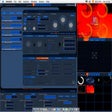
SwiftCapture is a multimedia application designed for Mac users who need a reliable video capture solution. This trial version offers essential features such as screen recording, audio capture, and the ability to save videos in various formats. The intuitive interface allows users to easily navigate through the options, making it suitable for both beginners and experienced users alike.

Top Recommended Alternative

In addition to capturing video, SwiftCapture supports customizable settings for resolution and frame rates, enabling users to tailor their recordings to specific requirements. It also includes basic editing tools to enhance captured footage. Overall, this program aims to provide a comprehensive video capturing experience, making it a valuable asset for content creators and professionals looking to streamline their workflow.



Used SwiftCapture for Mac?


Explore More


Full Specifications

GENERAL
Release
Latest update
Version
1.0
OPERATING SYSTEMS
Platform
Mac
Operating System
  • OS X 10.8
  • OS X 10.9
  • Mac OS X 10.7
  • Mac OS X
  • OS X 10.10
Additional Requirements
Video input device required, such as a built-in camera, USB webcam or Blackmagic device
POPULARITY
Total Downloads
140
Downloads Last Week
0

Report Software

Program available in other languages


Last Updated


Developer’s Description

Capture video with timelapse and stop-motion features.

SwiftCapture is an easy-to-use but powerful video capture application for the Mac. Its powerful features and intuitive user interface will allow users to create high-quality video recordings, timelapse captures and stop-motion movies.SwiftCapture supports any video input device that works on a Mac, including built-in FaceTime and iSight cameras, USB webcams and the popular Blackmagic range of devices for analog, HDMI and SDI input.

Supports any Mac-compatible video and audio input devices. Records standard MOV and MP4 movie files, which have wide compatibility. Timelapse and stop-motion capture features. Hardware-accelerated video encoding. Easy image capture, including copy-and-paste and drag-and-drop. Image adjustments: brightness, contrast, saturation and sharpness. Applescript control for automation.


Download.com
Your review for SwiftCapture
Download.com

AI Assisted Content Disclosure

Content created and reviewed by Softonic with information obtained from Ben Bird, using AI.

CNET's editorial team was not involved in the creation of this content. Opinions, analysis and reviews were not provided by CNET.