Used SQL Data Examiner Professional 2010 for Windows?
SQL Data Examiner Professional 2010 Analysis
AI Assisted Content ·
Not written by CNET Staff.
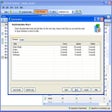
SQL Data Examiner Professional 2010 is a robust database management tool designed for Windows users. This software specializes in comparing and synchronizing SQL Server databases, making it an essential utility for database administrators and developers. Key features include an intuitive interface for easy navigation, support for multiple database types, and advanced comparison options that allow users to identify differences between database schemas and data efficiently.
Top Recommended Alternative

The program also offers powerful synchronization capabilities, enabling users to deploy changes seamlessly across environments. Its trial version provides a glimpse into the full functionality, allowing potential users to evaluate its features before committing to a purchase. Overall, SQL Data Examiner Professional 2010 stands out for its efficiency in managing SQL databases, making it a valuable asset for professionals in database management.
Used SQL Data Examiner Professional 2010 for Windows?
Explore More

Workshare Compare
Trial version
PDF Decrypt
Trial version
Xls2MySQL
Free
Cleantouch Library Management System
Trial version
SQLiteConverter
Trial version
SharePoint Staff Directory Web Part
Trial version
File Cabinet
Free
EMS DB Extract for InterBase/Firebird
Trial version
PDF Printer for MS Sharepoint
Trial versionProject Lucy Plug-in
Free
Data Sync for MySQL
Trial version
EMS DB Comparer for SQL Server
Trial version











