Used Speech Tutor for iOS?


Speech Tutor Analysis

AI Assisted Content ·

Not written by CNET Staff.

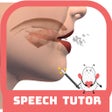
Speech Tutor is an innovative application designed for speech and language pathologists, students, and individuals seeking to enhance their American English pronunciation. This educational software employs advanced technology to facilitate speech improvement through transparent animations that illustrate tongue placement and sound production. Users can explore a variety of sounds with detailed visual aids, making it suitable for diverse learning needs.

The application includes 132 animations that demonstrate sound articulation from both side and front views, allowing users to adjust the viewing speed. Additionally, it features a tutorial section that covers essential speech concepts and provides tips from licensed professionals. Users can also record their practice sessions for comparison with modeled sounds, promoting self-assessment and progress tracking. With its extensive range of sounds, including consonants and vowels, Speech Tutor serves as a valuable resource for enhancing speech clarity.

Enlarged image for Speech Tutor
Speech Tutor 0/1

Used Speech Tutor for iOS?


Explore More


Full Specifications

GENERAL
Release
Latest update
Version
4.1.11
OPERATING SYSTEMS
Platform
iOS
Operating System
iOS 16.4
POPULARITY
Total Downloads
17
Downloads Last Week
0

Report Software

Program available in other languages


Last Updated


Developer’s Description

Whether youre a speech and language pathologist (SLP), an SLP college student, a parent of children with speech delays, or someone trying to...
Whether youre a speech and language pathologist (SLP), an SLP college student, a parent of children with speech delays, or someone trying to improve their American English accent, youre going to find this an invaluable application.A first of its kind in the field, Speech Tutor brings the latest in technology and animation to the world of speech. The animations inside Speech Tutor take the areas of the face that impede the view of tongue placement and positioning and make them transparent. Now one can literally see inside the mouth as the sounds are being made! Speech Tutor offers a Side View and a Front View of each sound production, both of which can be viewed at 3 different speeds (slow, medium, fast). The movies can also be paused any given point. With 132 animations in all, Speech Tutor is sure to offer a helpful view and speed for anyone in need.Speech Tutor does not stop there though. Non SLPs can begin the application by reading an easy to understand Basics tutorial which provides the reader with a solid foundation of the basic knowledge needed to know before attempting to improve any/all English consonants. Also provided is detailed text specific to each sound that further describes how each sound is technically made, tips provided by licensed speech and language pathologists, and milestones for when each sound should be acquired and mastered. Along with viewing the animations, one can also view a Palate diagram to further demonstrate where on the palate the tongue should be placed.Last but not least, users of the application can choose to record themselves as they practice their target sounds and then choose to play it before and after a correctly modeled production.Animations for the following sounds are provided:P, B, T, D, K, G, N, M, ING, F, V, S, Z, SH, CH, J, L, R (retroflex and bunched), TH (voiced and voiceless) and 4 new vowel animations - /i/, /u/, /a/ and //

Download.com
Your review for Speech Tutor
Download.com

AI Assisted Content Disclosure

Content created and reviewed by Softonic with information obtained from Synapse Apps, using AI.

CNET's editorial team was not involved in the creation of this content. Opinions, analysis and reviews were not provided by CNET.