Used Space.app (OS X) for Mac?


Space.app (OS X) Analysis

AI Assisted Content ·

Not written by CNET Staff.

Space.app is a captivating screensaver and wallpaper application designed specifically for Mac users. This free software immerses users in stunning visuals of space, featuring high-resolution images of galaxies, stars, and other celestial phenomena. The application allows for customization, enabling users to select different themes and adjust settings to create a personalized viewing experience.

Top Recommended Alternative

In addition to its aesthetic appeal, Space.app integrates seamlessly with macOS, ensuring smooth performance without taxing system resources. Users can easily navigate through various options to set their preferred screensaver or wallpaper, making it a versatile addition to any Mac setup. With its engaging visuals and user-friendly interface, Space.app stands out as an excellent choice for those looking to enhance their desktop environment.

Used Space.app (OS X) for Mac?


Explore More


Full Specifications

GENERAL
Release
Latest update
Version
0.8
OPERATING SYSTEMS
Platform
Mac
Operating System
Mac OS X
Additional Requirements
Mac OS X
POPULARITY
Total Downloads
14,002
Downloads Last Week
0

Report Software

Program available in other languages


Last Updated


User Reviews

4/5

4 User Votes


Developer’s Description

Maintain as many as 16 virtual workspaces at one time in Mac OS X with this desktop organizer.
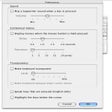
Space.app provides up to 16 virtual workspaces to help you to organize your use of the desktop. When you open Space.app, any nonhidden applications will be added to the first desktop. Switch to other desktops by clicking on the corresponding buttons. Any applications that you open or switch to will become associated with the desktop that you are using.

This version adds a sticky feature, treats finder windows as other applications, and lets you choose between using the dock menu, a palette, or both.


Download.com
Your review for Space.app (OS X)
Download.com

AI Assisted Content Disclosure

Content created and reviewed by Softonic with information obtained from Codeclever, using AI.

CNET's editorial team was not involved in the creation of this content. Opinions, analysis and reviews were not provided by CNET.