
Used Simple System Monitor for Android?


Simple System Monitor Analysis

AI Assisted Content ·

Not written by CNET Staff.

Simple System Monitor is a free Android application designed to provide real-time insights into your device's CPU usage. This utility offers a user-friendly interface that allows users to track system performance metrics effortlessly. It is particularly beneficial for those who want to understand how their device is performing, which can be crucial for troubleshooting slowdowns or optimizing performance. The app displays key information such as CPU load, memory usage, and other essential system statistics, making it a valuable tool for power users and casual users alike.

Top Recommended Alternative
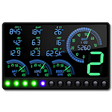
The installation process is straightforward, requiring users to download the app from Google Play. Once installed, users can quickly access the monitoring features without complicated setups. Simple System Monitor is especially useful for those who wish to keep an eye on their device's health and performance over time, providing an easy way to identify potential issues and take corrective action. Overall, this app serves as a comprehensive resource for monitoring your Android device's system performance.

Enlarged image for Simple System Monitor
Simple System Monitor 0/3

Used Simple System Monitor for Android?


Explore More


Full Specifications

GENERAL
Release
Latest update
Version
3.7.5
OPERATING SYSTEMS
Platform
Android
Operating System
Android 9.0
POPULARITY
Total Downloads
241
Downloads Last Week
1

Report Software

Program available in other languages


Last Updated


Developer’s Description

By Darshan Parajuli
Try a simple system monitoring app for your Android device.
Simple System Monitor, as the name suggests, is a clean and simple system monitoring app for your android device. It graphically shows usages of various system components.

Features:

  • CPU usage and frequencies for each core
  • Total CPU usage and average frequency
  • CPU frequency graph for each core
  • Time spent on each CPU frequency state
  • GPU usage and frequency*
  • RAM usage and ability to clear RAM
  • Network activity
  • Disk I/O activity (internal and SD card)
  • Test disks' read/write speeds (internal or external)
  • File browser with support for basic operations (copy,cut,delete)
  • Cache cleaner (optionally requires ROOT)
  • View list of active apps and processes and their CPU usage, RAM usage, network activity, PID and UID.
  • Kill processes as ROOT (only works on rooted devices)**
  • View temperatures of all of the thermal zones
  • View battery health and temperature
  • Ability to keep running in the background despite being swiped away from the recent tasks list
  • Floating mode - shows system monitor data on a little floating window on top of other apps
  • Dark UI theme

Download.com
Your review for Simple System Monitor
Download.com

AI Assisted Content Disclosure

Content created and reviewed by Softonic with information obtained from Darshan Parajuli, using AI.

CNET's editorial team was not involved in the creation of this content. Opinions, analysis and reviews were not provided by CNET.