Used RacingMeter for Torque Pro for Android?
Editors’ Review
RacingMeter for Torque Pro, developed by Sensadigit, is an Android plug-in that turns a mobile device into a racing-grade digital dashboard for live telemetry and vehicle diagnostics. The tool reads real-time parameters via Torque Pro and an OBD II adapter, offering customizable widgets, auto-scaling dials, acceleration timers, and a one-hour telemetry recorder. Its HUD mirror mode and GUI editor let users tailor layouts and save presets. Automotive enthusiasts, track-day drivers, and DIY mechanics benefit from detailed session data and configurable displays.
Top Recommended Alternative

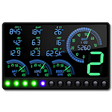
The app is a plug-in that relies on Torque Pro and an OBD II adapter to access ECU data, then renders that stream into configurable instruments. Widgets include speed, RPM, coolant temperature, and intake-air displays. The interface supports auto-scaling dials, an RPM LED bar with style options, and configurable warning thresholds. Users can save up to five screen presets to switch dashboards between street and track layouts.
What does RacingMeter do in a Torque Pro setup?
How does its telemetry and testing support track sessions?
Telemetry is oriented toward short-session analysis, with a viewer that records up to one hour of real-time data and six independent stopwatches for acceleration runs. The tool estimates gear ratios and engine power using speed, RPM, vehicle weight, wheel radius, and measured G-forces. A dedicated shift-light mode provides full-screen flashes tied to gear-dependent RPM thresholds, designed to aid consistently timed shift points during repeated runs.
Do I need technical knowledge to configure it and how reliable is the data?
Setup requires Torque Pro plus a compatible OBD II Bluetooth or Wi-Fi adapter and an Android device running version 4.0 or later. Sensadigit is experienced in racing telemetry tools, so the interface presumes some familiarity with vehicle sensors and live data feeds. Users should expect that numerical accuracy depends on the telemetry source; several community reports note that adapter latency can limit final precision during fast events.
Pros
- Customizable widgets for RPM, speed, coolant temperature, and intake air
- Telemetry viewer records up to one hour of real-time data
- Six independent stopwatches for acceleration testing
- HUD mirror mode and configurable screen presets for different driving contexts
Cons
- Data accuracy can be limited by OBD II adapter latency
- Requires Torque Pro and a compatible OBD II adapter
- Android 4.0 minimum limits use on very old devices
Bottom Line
Best suited for enthusiasts who value configurable session telemetry with a source-data caveat
RacingMeter is a practical choice for drivers and mechanics who need session-focused telemetry visualization and logging because it integrates into existing Torque Pro workflows. The principal trade-off is that numerical precision follows the connected adapter and ECU feed rather than the display itself. Practical tip: perform a short shakedown to confirm signal timing and saved presets before any timed run. Recommended.
Used RacingMeter for Torque Pro for Android?