Used Signature Lock Screen for Android?


Signature Lock Screen Analysis

AI Assisted Content ·

Not written by CNET Staff.

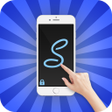
Signature Lock Screen is a free Android application designed to enhance device security while offering personalization options. Users can create unique unlock patterns using shapes, letters, numbers, or even their own signatures, moving away from standard PINs and patterns. This feature not only adds a layer of security but also allows for self-expression. The app is user-friendly, making it accessible for all users regardless of technical expertise.

The interface is designed for ease of use, ensuring that customization options are straightforward to access and implement. Users can select their preferred unlocking method, which can be tailored to suit individual styles. Overall, Signature Lock Screen combines practicality with personalization, making it a noteworthy choice for those looking to secure their devices in a unique way.

Enlarged image for Signature Lock Screen
Signature Lock Screen 0/4

Used Signature Lock Screen for Android?


Explore More


Full Specifications

GENERAL
Release
Latest update
Version
1.14
OPERATING SYSTEMS
Platform
Android
Operating System
Android 9.0
POPULARITY
Total Downloads
18
Downloads Last Week
0

Report Software

Program available in other languages


Last Updated


Developer’s Description

Signature Lock Screen...

Signature Lock Screen

Signature Lock Screen is an amazing & professional lock screen application. Signature Lock Screen allows you to unlock your phone with a variety of gestures like shapes, contextual gesture, letters, signatures, numbers, symbols etc.

The Signature Lock Screen detects and matches every time the gesture drawn on the lock screen with yours created and saved by you as your phone lock screen password.

With the gesture finger in a reduction, navigation from one program to another pulling a gesture simply with a finger on your device.

Top Features :

- Password Create any Shape, Numbers, Letters, Signature etc. provided that. In single stroke without picking up your finger.

- Lock Set Default or Background from mobile gallery on your screen.

- Double tap app notification to draw signature to unlock and open app.

- Show app notifications on lock screen: unread messages, music player, alarm, missed calls etc.

- Stealth Mode : hide gesture strokes when drawing.

- Supports both single stroke and multiple strokes.

- Set lock your own text with font and color adjustment on screen.

- Edit or Draw signature on password.

- Show the Date / Time on the lock screen.

Keywords:

- Signature lock

- lock screen

- Signature lock screen

- gesture lock screen

- letter lock screen

- smart gesture lock screen

- signature screen lock

If you Like Our application signature lock screen please rate it with 5 Stars.

Thank You.


Download.com
Your review for Signature Lock Screen
Download.com

AI Assisted Content Disclosure

Content created and reviewed by Softonic with information obtained from PhotoCorner, using AI.

CNET's editorial team was not involved in the creation of this content. Opinions, analysis and reviews were not provided by CNET.