Used Shortcut Tool Control Floating Bar for Android?


Shortcut Tool Control Floating Bar Analysis

AI Assisted Content ·

Not written by CNET Staff.

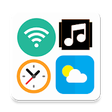
The Floating Toolbar App is a utility designed for Android devices, allowing users to streamline access to various tools through a customizable floating bar. Users can easily enable the Floating Toolbar and personalize its appearance, including the selection of icons for quick access to their preferred applications. The interface is user-friendly, enabling straightforward navigation by tapping buttons displayed on the screen. Additionally, swiping down allows users to dismiss the toolbar, ensuring that the interface remains uncluttered while still providing essential functionality.

This app is particularly advantageous for those seeking to enhance productivity by consolidating multiple tool shortcuts into one accessible location. Its simplicity makes it suitable for a broad range of users, from those who prefer minimalistic design to those looking for efficient multitasking capabilities. The Floating Toolbar App stands out as a practical solution for managing applications and tools directly from the home screen.

Enlarged image for Shortcut Tool Control Flo…
Shortcut Tool Control Floating Bar 0/4

Used Shortcut Tool Control Floating Bar for Android?


Explore More


Full Specifications

GENERAL
Release
Latest update
Version
1.2.3
OPERATING SYSTEMS
Platform
Android
Additional Requirements
Requires Android 4.4 and up
POPULARITY
Total Downloads
52
Downloads Last Week
0

Report Software

Last Updated


Developer’s Description

Setting App,Tool Control Gives you everything you need most of a phone.

Setting App,Tool Control

Gives you everything you need most of a phone.

One floating button on screen will control all feature of your phone.

* Usage:

1. Enable tool. you have floating button with other size and style. You can custom it on setting.

2. Click on floating button -> Open window with all you need -> time, event, weather, music, tools, favorite app, recent app...

3. Swipe from top to bottom to close the window easily.

4. Because benefit of you.Tool ask some permission on fist time use. please grant it.

* Floating Button App,Tool Control has the following functions.

- Update weather information at the user's location

- Manage individual events and plans that take place during the day

- Fast music player management shortcut.

- Phone speed control tools keys (turn on, wifi off, flash, bluetooth, wifi hostpot, turn off screen, rotate screen, ringing tone....)

- Manage your favorite apps and tool

- Show recently used applications

- Users can easily edit the size and style of the tool.

- So home screen can not need any thing except Toolbar. Very beautiful and convenient. Suitable for people who like to use little icon outside the screen.

* Swipe Setting App,Tool Control ask permission to active tools.

Permision:

Camera, Fine Location, Write setting system, Notification, Accessibility, Read storage, Write storage, Calendar, Admin device....

All permission help tool can use with all function. You will save many time when use this tool.

This app uses the Device Administrator permission

*BIND_DEVICE_ADMIN : We need this permisson to enable Tool "Turn On/ Off your screen". So please accept this permission to use this tool.

* SYSTEM_ALERT_WINDOW : it's for floating bar is over the top with other app, so you can access it during using other app

* ACCESS_WIFI_STATE && CHANGE_WIFI_STATE : you can turn on/off wifi in floating bar by click to wifi icon, no need go to settings

* WRITE_SETTINGS : it's for change rotation function

* FLASHLIGHT : it's for function flashlight applied with android M above

* RECEIVE_BOOT_COMPLETED : if befor you restart your phone, turn on my application, after restart it will automatically turn on

* BLUETOOTH & BLUETOOTH_ADMIN: to turn on /off bluetooth

* If you have any question or problem. please feel free and contact to me by email: trongluan.bkhn@gmail.com

Hope you have free time when use my app. Thank you!


Download.com
Your review for Shortcut Tool Control Floating Bar
Download.com

AI Assisted Content Disclosure

Content created and reviewed by Softonic with information obtained from Soglacho, using AI.

CNET's editorial team was not involved in the creation of this content. Opinions, analysis and reviews were not provided by CNET.