Used Saraiki Keyboard for Windows?


Editors’ Review

Download.com staff
This keyboard setup enables typing in Saraiki and several other languages on your PC or laptop. Installation is straightforward, involving font installation and running a setup file.
  • Pros

    • Supports typing in Saraiki, Urdu, Punjabi, and other languages.
    • Includes necessary Nastaliq fonts for proper display.
    • Simple installation process via setup executable.
    • Allows language adjustment in system control panel.
  • Cons

    • Requires manual font installation.
    • Installation process involves file extraction.
    • Relies on system language settings for activation.

Used Saraiki Keyboard for Windows?


Explore More


Full Specifications

GENERAL
Release
Latest update
Version
1.0
OPERATING SYSTEMS
Platform
Windows
Operating System
  • Windows 8
  • Windows 7
  • Windows XP
  • Windows 10
  • Windows Vista
  • Windows 2003
  • Windows Server
Additional Requirements
None
POPULARITY
Total Downloads
472
Downloads Last Week
0

Report Software

Last Updated


Developer’s Description

Type texts in Saraiki language.
Saraiki is an important language. Urdu and Punjabi,Kashmiri, Hindko, Balochi and some other languages can be written in Saraiki key board because the base of these language is on Saraiki. So Saraiki waseb Demand from Microsoft please Give support Saraiki Language. For this Saraiki keyboard is created. This is keyboard setup for your PC or Laptop. This program support Urdu, Punjabi, Saraiki, Hindko, Balochi, Kashmiri. Brohi and other languages.

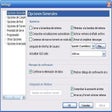
Download the Saraiki keyboard. Extract the Files from Saraiki keyboard.rar. There are two folders one is Saraiki fonts, open the fonts and install the fonts. The fonts are nastaliq fonts. Second folder is Saraiki keyboard. Open the Saraiki Keyboard folder. klick on the setup exe. Saraiki keyboard will be installed in you computer or laptop. Go into control panel and adjust the language according to your choice i.e. Saraiki.


Download.com
Your review for Saraiki Keyboard