Used Ruler and Compass Geometry for iOS?


Ruler and Compass Geometry Analysis

AI Assisted Content ·

Not written by CNET Staff.

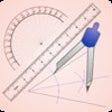
Ruler and Compass Geometry is an educational app designed for iPhone users, focusing on geometric constructions. This application provides a digital environment where users can create geometric shapes and perform constructions using a virtual ruler and compass. The interface is user-friendly, making it accessible for learners of various ages, from students to educators. With features that allow for precise measurements and angles, users can enhance their understanding of geometric principles and improve their problem-solving skills.

Top Recommended Alternative

The app supports a wide range of geometric tasks, including drawing lines, angles, and circles, as well as constructing various geometric figures. It includes instructional materials and examples that serve as guides for users to explore different geometric concepts. Additionally, Ruler and Compass Geometry is suitable for both classroom settings and individual study, making it a versatile tool for anyone looking to deepen their knowledge of geometry.

Enlarged image for Ruler and Compass Geometr…
Ruler and Compass Geometry 0/1

Used Ruler and Compass Geometry for iOS?


Explore More


Full Specifications

GENERAL
Release
Latest update
Version
1.1
OPERATING SYSTEMS
Platform
iOS
Operating System
iOS 12.1.2
Additional Requirements
Compatible with iPad. iTunes account required.
POPULARITY
Total Downloads
154
Downloads Last Week
0

Report Software

Last Updated


Developer’s Description

Ruler and Compass Geometry is for teachers and high school mathematics students whose course includes the study of geometrical constructions using...
Ruler and Compass Geometry is for teachers and high school mathematics students whose course includes the study of geometrical constructions using a straight edge, compass and angle measurer. This app is perfect for demonstrating or practising geometrical constructions such as perpendicular bisector, angle bisector, or answering a range of problems that involve these.Features include:1) Easy to use interactive ruler and pencil, adjustable compass with pencil, and angle measurer. 2) Easy to use controls allow the tools to be moved and rotated easily around the screen before using them to construct answers.3) Choose to use a blank canvas to create your own constructions or try the 32 built in questions to demonstrate and practise your skills.4) Answers that you construct for the 32 built in questions are marked within the app. giving immediate feedback to the user.5) All diagrams are saved automatically and can be easily reset to use again and again. 6) Short videos to show how to do basic constructions such as a perpendicular bisector or angle bisector are included.

Download.com
Your review for Ruler and Compass Geometry
Download.com

AI Assisted Content Disclosure

Content created and reviewed by Softonic with information obtained from Graeme Fee, using AI.

CNET's editorial team was not involved in the creation of this content. Opinions, analysis and reviews were not provided by CNET.