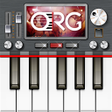
Used Roland SPD 20 X for Android?
Editors’ Review
Replicates an eight-pad percussion layout for finger-drumming, instant sound testing, and on-device kit switching across phones and tablets. Mobile octopad supplies this Android percussion simulator aimed at practicing percussion parts and sketching rhythms. Key functions include high-quality sampled percussion, a Patch Load kit manager, and low-latency touch response for live triggering. It fits drummers and hobbyists who need a compact pad emulator to rehearse patterns away from studio hardware.
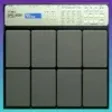
The app recreates a classic eight-pad workflow for portable practice
The core design places eight pads on-screen to match familiar digital percussion hardware, and the sound engine uses sampled percussion modeled after professional hardware. Pad layout and sampling let a player trigger toms, snares, and percussion articulations with touch; the interface prioritizes immediate pad access so a musician can practice patterns or test sounds without setting up external gear.
Compatibility focuses on broad Android support and low resource use
Compatibility covers Android 4.1 and later, with optimizations for both smartphones and tablets so older devices can run the app. The developer emphasises a lightweight footprint, which suits entry-level devices and onstage tablets. That design choice means the app targets mobility and quick setup rather than demanding modern desktop-class hardware.
Performance aims at responsive triggering and real-time testing
Low-latency audio and responsive touch behavior are central to the app's purpose, enabling finger-drumming and live triggering for short parts or practice sessions. Real-time sound testing and instant audio generation let a percussionist audition kits quickly. Although tailored to mobile use, recorded outputs are described as suitable for demos and mobile production workflows.
Workflow choices suit sketching rhythms but carry limits
The Patch Load system provides fast kit switching and supports a variety of traditional and modern percussion styles, which helps rapid arrangement work. The app is a third-party simulator rather than an official manufacturer product, a consideration for anyone who needs vendor-backed support. For users who require broader routing or extensive pad counts, the focused eight-pad design is a deliberate constraint.
Pros
- Faithful eight-pad layout modeled on pro percussion hardware
- High-quality sampled percussion sounds suitable for demos
- Patch Load lets users switch kits instantly during sessions
- Optimized to run on older Android devices (4.1+)
Cons
- Third-party simulator, not an official Roland product or supported device
- Fixed eight-pad design limits users who need larger pad arrays
- Focused on practice and testing rather than studio-grade multitrack routing
Bottom Line
Recommended as a mobile practice and sketching tool, not a studio replacement
The app serves percussionists who want a compact, on-the-go pad emulator for rehearsals and rhythm sketching, offering an accessible way to try sounds and practice patterns away from hardware. Those needing detailed studio routing, larger pad arrays, or manufacturer support should consider hardware or tools built for multitrack production instead.
Used Roland SPD 20 X for Android?