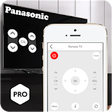
Used Remote for Panasonic for Android?
Remote for Panasonic Analysis
AI Assisted Content ·
Not written by CNET Staff.
Remote for Panasonic is a multimedia application that acts as a virtual remote control for Panasonic televisions. Designed for convenience, this application allows users to perform essential functions such as powering the TV on and off, adjusting the volume, changing channels, and navigating menus. The app is compatible with most Android devices equipped with IR blasters, making it accessible to a wide range of users. Importantly, it functions offline, ensuring that users can control their TVs without needing an internet connection.
Top Recommended Alternative
One of the standout features of Remote for Panasonic is the option to save favorite remote configurations for quick access. The setup process is straightforward; users simply select their TV model and test various remotes to find a compatible option. While the application offers a user-friendly experience, it is essential to note that it requires an IR blaster or an external device to operate. Furthermore, the app explicitly states that it is not affiliated with any specific brand, maintaining transparency for its users.
Used Remote for Panasonic for Android?
Explore More

Sponsored
Adobe Stock
Trial version
STEALTH CCTV Pro
Free
Video Downloader for Tiktok - Downloader Video
Free
Mp4 Merger & Video Merger
Free
Happy Anniversary Video Maker with Photo and Song
Free
SPMC
Free
Video Downloader For Vigo - No Watermark
Free
Birthday Lyrical Video Maker
Free
Video VK
Free
Phereo 3D Photo
Free
DTVR TVTEKA client (unofficial)
Free
VITA
Free











