Used RC-TOYS for iOS?


RC-TOYS Analysis

AI Assisted Content ·

Not written by CNET Staff.

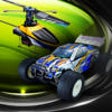
RC-TOYS is an entertaining application designed for iPhone users, focusing on remote control car simulations. This app allows users to drive virtual RC cars in various environments, offering a realistic experience without the need for physical toys. Users can choose from a range of car models, each with different characteristics that enhance the gameplay. The intuitive controls make it easy to navigate through tracks and obstacles, providing a fun and engaging experience for all ages.

In addition to the driving mechanics, RC-TOYS features several customizable settings, including speed adjustments and track selections. The graphics are vibrant and designed to create an immersive environment that captures the excitement of remote control racing. With its user-friendly interface and entertaining gameplay, RC-TOYS serves as an enjoyable option for those looking to experience the thrill of RC car racing on their iPhones.

Enlarged image for RC-TOYS
RC-TOYS 0/1

Used RC-TOYS for iOS?


Explore More


Full Specifications

GENERAL
Release
Latest update
Version
1.2
OPERATING SYSTEMS
Platform
iOS
Operating System
iOS 12.1.2
Additional Requirements
Compatible with iPod Touch, iPhone, iPad. iTunes account required.
POPULARITY
Total Downloads
10
Downloads Last Week
0

Report Software

Last Updated


Developer’s Description

This app is able to control the helicopter models after you connect the transmitter to the audio jack of iPod touch or iPhone.Features:- Throttle...
This app is able to control the helicopter models after you connect the transmitter to the audio jack of iPod touch or iPhone.Features:- Throttle Stick (on the left screen): It can fly the helicopter in the air by move forward and land the helicopter by move backward in the air .- Direction Stick (on the right screen): You can control the directions of the helicopter by moving it to up, down, left or right.- Trimmer (on the center of the bottom screen): It can be used to adjust the helicopter to left or right when the helicopter is keep rotating in the air.- Return Button (on the upper left corner of the screen): You can return back to the devices selection screen- Move motion controller (on the upper right corner of the screen): You can be turned on/off the gravity sensor to control your helicopter.- Power button (on the upper center of the screen): Press it when it is in "OFF" status to start the controller; press it when it is in "ON" status to turn off the controller.- Band selector (on the center of the screen under Power button): You can select one of the three bands (A/B/C) to control the helicopter.- Two control interfaces available: You can control the non-4Stone helicopter with control interface 1 whilst control the 4Stone helicopter with control interface 2.If you have any question, please press help button on the right of the bottom screen, then you will find the instruction for each function.

Download.com
Your review for RC-TOYS
Download.com

AI Assisted Content Disclosure

Content created and reviewed by Softonic with information obtained from Netcent Studio, using AI.

CNET's editorial team was not involved in the creation of this content. Opinions, analysis and reviews were not provided by CNET.