Used Quick Remote for Alexa & Roku for Android?


Quick Remote for Alexa & Roku Analysis

AI Assisted Content ·

Not written by CNET Staff.

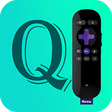
Quick Remote for Alexa & Roku is a versatile productivity application designed for Android devices. It allows users to control their Alexa-enabled devices and Roku streaming players seamlessly from a single interface. This app provides features such as voice commands, remote control functionalities, and customizable settings to enhance user experience. The intuitive design ensures that users can navigate easily, making it suitable for both tech-savvy individuals and novices alike.

Top Recommended Alternative

The application supports multiple Alexa devices and Roku models, allowing users to switch between devices without hassle. Quick Remote also integrates voice recognition technology, enabling hands-free operation for added convenience. Users can set up routines, manage device settings, and access their favorite streaming content quickly, making it a valuable tool for anyone looking to enhance their smart home experience.

Enlarged image for Quick Remote for Alexa & …
Quick Remote for Alexa & Roku 0/4

Used Quick Remote for Alexa & Roku for Android?

Explore More


Full Specifications

GENERAL
Release
Latest update
Version
1.3.1
OPERATING SYSTEMS
Platform
Android
Operating System
Android 4.3
POPULARITY
Total Downloads
115
Downloads Last Week
0

Report Software

Program available in other languages


Last Updated


Developer’s Description

Voice control your Roku from Alexa. No hub or additional hardware required.
Stop looking for the remote when your phone rings. Just say "Alexa, ask Quick Remote to pause". Quick Remote helps you control your Roku with voice commands. Play or pause the movie. Rewind or fast forward your favorite shows. Start Netflix or CBS News channel. Navigate Roku's menu by saying go left, right or select. It can follow multiple commands at once and also control multiple Rokus. You can even ask for it to wait for your next command. Quick Remote Alexa Skill: http://amzn. to/2o9ipvBThis app works with the following Alexa powered devices from Amazon: Amazon Echo: http://amzn. to/2nEmHhpAmazon Tap: http://amzn. to/2nXTVoiAmazon Echo Dot: http://amzn. to/2ngg2ZTNo hub or additional hardware required. You will never touch the Roku remote again. Quick Start: In Amazon Alexa app or alexa. amazon.com: Enable the Quick Remote skill. Link to Quick Remote using your Amazon account. Using 'Login with Amazon' your email will only be used to link with the mobile appIn your phone: Install this mobile app in your phone. Connect your phone to the same Wi-Fi network as your Roku device. In your phone's Wi-Fi settings set it to keep Wi-Fi ALWAYS on during sleep. Select the Roku device you want to control in the devices menu. Login with Amazon using the same account as your Alexa app. your email will only be used for linkingIMPORTANT: Your phone's Wi-Fi needs to ALWAYS stay on during sleep for it to receive commands from Alexa devices and send it to your Roku. Also, if your phone has trouble connecting with your Roku then turn off battery optimization for this app in Android Settings > Battery OptimizationBack at your Alexa device: Say "Alexa, ask Quick Remote to pause". Voila. your Roku will do as you say. Say "Alexa, ask Quick Remote to go home, right, down and select". it will follow multiple commands at once. Say "Alexa, ask Quick Remote to start Netflix and wait". it will start a channel and wait for your next command. Say "Alexa, ask Quick Remote to switch to Family Room Roku". it will even control multiple Rokus. Help & FAQs: http://www.appestry. biz/qraDemo Video: https://youtu.be/SGVWIT2ov9QThe free version has a limit of 50 commands per calendar month. Upgrade to Full Pass subscription to use Quick Remote without limits.

Download.com
Your review for Quick Remote for Alexa & Roku
Download.com

AI Assisted Content Disclosure

Content created and reviewed by Softonic with information obtained from Appestry, using AI.

CNET's editorial team was not involved in the creation of this content. Opinions, analysis and reviews were not provided by CNET.