Used Quick Hash for Windows?


Editors’ Review

Download.com staff
Quick Hash efficiently calculates file hash values for digital forensics and IT security. It supports multiple algorithms and flexible output options.
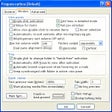
Enlarged image for Quick Hash
Quick Hash 0/1
  • Pros

    • Rapidly hashes individual files or entire folder structures
    • Supports MD5, SHA1, SHA256, and SHA512 algorithms
    • Output can be copied to clipboard
    • Saves output to CSV or HTML files
    • Available for both Linux and Windows
  • Cons

    • Text hashing not detailed for Windows
    • Disk hashing only specified for Linux

Used Quick Hash for Windows?


Explore More


Full Specifications

GENERAL
Release
Latest update
Version
3.3.0
OPERATING SYSTEMS
Platform
Windows
Operating System
  • Windows 10
  • Windows 7
  • Windows 8
  • Windows 8.1
POPULARITY
Total Downloads
355
Downloads Last Week
0

Report Software

Program available in other languages


Last Updated


Developer’s Description

Calculate the hash values of files on PC.
Quick Hash features the rapid selection and subsequent hashing of files (individually or recursively throughout a folder structure) text and (on Linux) disks. Designed for Linux, but also available for Windows. MD5, SHA1, SHA256, SHA512 available. Output copied to clipboard or saved as CSV\HTML file. It enables digital forensic practitioners or IT security staff to hash files at times when files have been extracted out from forensic software before or after transportation to non-forensic staff.

Download.com
Your review for Quick Hash