Used Proton Bus Simulator 2020 (64+32 bit) for Android?


Editors’ Review

Download.com staff

Proton Bus Simulator+32 bit), developed by MEP, is an urban transit simulation that recreates the bus-driving experience with realistic controls and physics. The app offers sandbox play where players pick vehicles and routes, plus a rare mobile map-modding system and detailed vehicle animations. It also models passenger boarding, fare collection, and continuous map streaming. Proton targets simulation enthusiasts and bus fans who prefer deep customization and community-made content instead of objective-based gameplay.

Top Recommended Alternative

Where Euro Truck Simulator sets mission goals, Proton concentrates on urban bus operation and sandbox driving. The app removes gamified scoreboards and lets players select vehicles and routes freely. The 2020 release added a mobile map-modding system, making Proton one of the few mobile titles to host user-created maps. That emphasis makes the title behave more like a workshop for community creations than a mission-driven mobile game.

How does Proton Bus differ from PC driving sims?

Does it simulate bus systems and controls accurately?

Proton models several operational systems players interact with directly. The simulator includes a passenger workflow for boarding, disembarking and fare collection, a detailed physics model for vehicle handling, and an interactive dashboard with switches and gauges. Starting movement follows a realistic sequence, requiring Neutral, gear selection and release of the parking brake. These systems demand deliberate input rather than arcade shortcuts.

What does Proton Bus look and feel like during play?

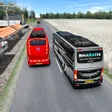
Visual focus sits on vehicle animations and environmental effects. The modding tools support custom animations for buttons, rain, wipers and windows, and the 2020 edition upgraded vehicle motion and exterior behaviour. Continuous map streaming removes discrete loading screens so the urban scene unfolds while driving. That combination keeps visual changes tied to motion, which shapes the sensation of piloting a heavy vehicle through city streets.

Is it hard to get started and run smoothly?

New players encounter a measurable learning curve because the simulator enforces realistic procedures and lacks arcade conveniences. The app is hardware-intensive, with recommended devices having roughly 4GB of RAM, and it offers a 32-bit build for older hardware. Map creation requires a computer, but an abundant catalog of community buses and maps extends playtime well beyond initial sessions.

Enlarged image for Proton Bus Simulator 2020…
Proton Bus Simulator 2020 (64+32 bit) 0/3
  • Pros

    • Mobile map-modding support for user-created urban environments
    • Advanced bus modding with custom animations for vehicle parts
    • Realistic passenger workflow including boarding, disembarking, and fares
    • Supports both 32-bit and 64-bit Android architectures
  • Cons

    • Hardware-intensive; recommended devices have roughly 4GB of RAM
    • Steep learning curve; realistic procedures required to start and drive
    • Map creation requires a computer, not solely mobile tools
    • No built-in mission or scoring systems for objective-driven players

Bottom Line

In summary, Proton rewards patient simulator fans and content creators

Proton rewards players who treat bus driving as a mechanical craft and community project, so it fits those who enjoy long-form, player-directed sessions rather than quick arcade runs. Expect a learning period and to match device capability to ambition; those preferences shape whether the app satisfies daily play or becomes an occasional experimental platform. MEP's development focus reinforces the title's workshop mentality.


Used Proton Bus Simulator 2020 (64+32 bit) for Android?


Explore More


Full Specifications

GENERAL
Release
Latest update
Version
1309
OPERATING SYSTEMS
Platform
Android
Operating System
Android 15.0
POPULARITY
Total Downloads
432
Downloads Last Week
5

Report Software

Program available in other languages


Last Updated


Developer’s Description

By MEP
Welcome to Proton Bus 2020 Edition...

Welcome to Proton Bus 2020 Edition!

It's still a beta with lots of stuff being added, there are dozens of new features! Three years after the first edition, launched in 2017, we are achieving remarkable steps with this mobile bus simulator.

The modding system for buses is now more advanced, supporting many animations for buttons, rain, wipers, windows and so on. The community made already hundreds of buses, and there are more to come!

We will release many new buses as mods soon, there are some being created during this year. If we put all buses that we have inside the game it would get very huge and no one plays with all vehicles... So as a mod you keep just the ones that you like the most, thus saving space. All old non animated buses were not included in this editon, they will be relaunched as mods over the next few months.

We are working very hard to achieve map modding support on Android too! During 2020 there will be some updates bringing new features for map mod creators. Currently there are basic support without people and cars. With fan content we could have hundreds of new bus routes! Forget about the old style of 101C and the bad roads!

These old routes are still present, but with a huge focus on custom map creation, they will be something of the past soon.

This simulator is FREE with some extras for PAID USERS. You may play with it forever in the free version, we don't want your money just because of the money itself. Pay only if you REALLY LIKE this project and understand its development process. Paid users won't see any ads, and will gain access to some exclusive features, including virtual mirrors, cruise control (automatic acceleration at certain speed), screenshot capturing in 360 degree etc. Almost all other features are completely free. Almost all buses are free too.

It is more a simulator than a game. So we do not care about points, checkpoints, blah blah blah. Just pick up the bus you like and drive. Since it is a complex simulator, there are lots of controls and lots of settings. Please, watch some video or tutorial online before complaining about it. Most of the complaints are easily solved. For example, press N before selecting the gear to move the bus. Don't forget to release the parking brake. Some options may cause undesired behaviour. Please read carefuly settings descriptions before enabling an specific option. Some work best on some devices, while others don't.

This project is available for PC and Android. On PCs the overall graphics quality is better due to the powerful hardware that they generally have. There are many settings that you may change to improve performance. It requires a modern mid or high end device, with a huge amount of RAM memory (preferably 4 GB or more). If it does not play well on your device, please try older versions or play a little bit with settings. There is a known problem with 64-bit applications made with Unity for Android. If you experience bad framerates on your device, you may download the 32-bit apk from our website. It may be faster sometimes.

If you have paid for the lifetime subscription of the URBAN version in 2017-2019, please contact us at atendimento@viamep.com to get instructions on how to migrate to this one.

We will be focusing more on the core updates, specially about modding support. This simulator is awesome with mods, imagine it without them for a second...

You may download mods just by searching for Proton Bus mods or by acessing the button inside the game. To install mods you must use a file manager. Don't worry, the community may help you.

Find more about this mega project at busmods.com or on the main Facebook groups.

Currently most advanced features are tested on a Samsung Galaxy S9, and basic ones on a J7 Prime. It is not suitable for older phones with less than 2 GB of RAM, but you may try it by manually the via apk/obb, without any guarantee. Screenshots shown were taken on a Galaxy J7 Prime using the "good settings" button.


Download.com
Your review for Proton Bus Simulator 2020 (64+32 bit)