Used Play for Angry Teacher for Android?


Play for Angry Teacher Analysis

AI Assisted Content ·

Not written by CNET Staff.

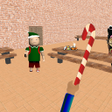
Play for Angry Teacher is an arcade game designed for Android platforms, where players assume the role of a strict teacher tasked with capturing a rebellious student. The game features a school setting where the student runs amok, disrupting classes and solving problems incorrectly. Players must navigate through various challenges to catch the student before he escapes, making for an engaging and dynamic gameplay experience. The game includes various levels of difficulty, ensuring that players remain challenged as they progress.

Top Recommended Alternative

The controls are user-friendly, allowing players to maneuver their character with ease. Players can utilize a touch panel for movement or opt for a slider for more precise control. The game also features an option for automatic movement, enhancing accessibility for different play styles. With its straightforward mechanics and captivating objectives, Play for Angry Teacher offers hours of entertainment for those who enjoy arcade-style gaming.

Enlarged image for Play for Angry Teacher
Play for Angry Teacher 0/3

Used Play for Angry Teacher for Android?


Explore More


Full Specifications

GENERAL
Release
Latest update
Version
2.0.23
OPERATING SYSTEMS
Platform
Android
Operating System
Android 15.0
POPULARITY
Total Downloads
42
Downloads Last Week
1

Report Software

Program available in other languages


Last Updated


Developer’s Description

Its impossible without education now.

Its impossible without education now.

It was time to learning in schools, classes began.

I wonder if teachers love school time? Or they so angry teacher what dont like school time?

Play as a strict and angry teacher. Your task is to catch up with a student who incorrectly solves examples and runs around the school, violates the rules of the school. After he solves them, he will try to escape from school. Do not let him do this.

Be cunning and catch it!

Control

Your character can move independently, your task is to guide him using the touch panel, which is located on the right or using the slider.

Also in the Control menu, you can choose the way in which the character moves by pressing the "step" button, when filling the scale from the bottom left, or he will move automatically when the switch is selected, and you will only have to direct its movement.


Download.com
Your review for Play for Angry Teacher
Download.com

AI Assisted Content Disclosure

Content created and reviewed by Softonic with information obtained from Awecom Games, using AI.

CNET's editorial team was not involved in the creation of this content. Opinions, analysis and reviews were not provided by CNET.