Used Planning crane maneuver for Android?


Planning crane maneuver Analysis

AI Assisted Content ·

Not written by CNET Staff.

Planning Crane Maneuver is a free Android application designed to assist users in safely maneuvering heavy machinery, specifically cranes and trucks. This utility focuses on helping operators navigate obstacles by providing critical height information, ensuring safe positioning and collision avoidance. The app features various display options, including side view and plan view, allowing for a comprehensive understanding of the vehicle's surroundings.

The application allows users to input parameters manually and offers an interactive interface where users can adjust the vehicle's position using touch gestures. This hands-on approach provides real-time feedback and information about the obstacles in the vicinity. The combination of visual displays and manual controls makes this utility suitable for both novice and experienced operators, enhancing the overall maneuvering experience.

Enlarged image for Planning crane maneuver
Planning crane maneuver 0/4

Used Planning crane maneuver for Android?


Explore More


Full Specifications

GENERAL
Release
Latest update
Version
98
OPERATING SYSTEMS
Platform
Android
Operating System
Android 15.0
POPULARITY
Total Downloads
15
Downloads Last Week
0

Report Software

Program available in other languages


Last Updated


Developer’s Description

This application enables you to position the crane in a limited space and to maneuverer it when obstacles of various heights prevent easy access...

This application enables you to position the crane in a limited space and to maneuverer it when obstacles of various heights prevent easy access to the cargo.

Open the application by touching or clicking the icon. Select the manufacturer and the crane model you wish to work with. Then, select from the following options:

Side view

Plan view

Dimensions display

Side view

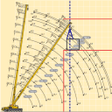
It enables you to see the distance in between the turntable and the side of the obstacle facing the crane, represented by the red line. The dotted blue line represents the vertical line of the cargo.

The movement of the boom can be fully simulated.

Plan view

It enables you to see the side of the obstacle facing the crane, represented by the red lines. The obstacles could be any nearby building, etc. The blue line represents the booms longitudinal axis, the radius and the position of the cargo.

The gyratory movement of the crane can be fully simulated showing if any obstacles hinder the turning of the counterweight and the cabin.

Dimensions display

Here the following dimensions can be amended:

Height of the obstacles.

Distance from the axis and the obstacles.

Longitudinal distance in between turntable and the perpendicular distance to the cargo.

Distance from the side of the obstacle facing the crane to the cargo.

Manufacturer and Models

The crane manufacturer and model can be changed in order to find out which is most suitable for the proposed job.


Download.com
Your review for Planning crane maneuver
Download.com

AI Assisted Content Disclosure

Content created and reviewed by Softonic with information obtained from Roberto Padrn Hernndez, using AI.

CNET's editorial team was not involved in the creation of this content. Opinions, analysis and reviews were not provided by CNET.