Used PixelStick for Mac?


PixelStick Analysis

AI Assisted Content ·

Not written by CNET Staff.

PixelStick is a trial version application for Mac that focuses on creating pixel art and custom wallpapers. It allows users to draw pixel-based images easily, featuring a grid overlay for precision and control. The application supports multiple layers, enabling complex designs and adjustments, which is beneficial for artists and hobbyists alike. Users can export their creations in various formats, making it easy to share or set as desktop backgrounds.

Top Recommended Alternative
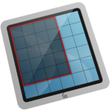
The user interface is intuitive, catering to both beginners and experienced designers. PixelStick also offers customizable color palettes and brush sizes, enhancing the creative process. While it serves primarily as a pixel art tool, it can also be utilized for designing icons or other graphics that require a pixelated aesthetic. Overall, PixelStick provides a comprehensive set of features for those interested in pixel art creation.

Enlarged image for PixelStick
PixelStick 0/1

Used PixelStick for Mac?


Explore More


Full Specifications

GENERAL
Release
Latest update
Version
2.15.0
OPERATING SYSTEMS
Platform
Mac
Operating System
Mac OS X
Additional Requirements
  • macOS Mojave
  • macOS High Sierra
  • macOS Sierra
  • OS X El Capitan
  • OS X Yosemite
  • OS X Mavericks
  • OS X Mountain Lion
  • OS X Lion
  • OS X Snow Leopard
POPULARITY
Total Downloads
1,246
Downloads Last Week
0

Report Software

Program available in other languages


Last Updated


User Reviews

5/5

1 User Votes


Developer’s Description

Measure distances, angles and colors on the screen.
PixelStick works in any app and anywhere on screen anytime. Its easy, simple and fast. PixelStick is a measuring tool you can pinch and stretch to measure anything on your screen. Use the eyedropper to copy colors in 4 formats (CSS, RGB, RGB hex, HTML) to the clipboard for use in any app. Its like an onscreen virtual ruler that you can use vertically, horizontally and at any angle to measure distances, angles and much more just by dragging. Supports the scaling in Google Maps, Yahoo Maps, and Photoshop. Also has Customized (user settable) scaling options. Most of what PixelStick does is obvious. Drag the endpoints to change the measurement. Click the locks to constrain the movement. Launch it, play around, no more limitations to just one app in measuring distance, angle and color.

Download.com
Your review for PixelStick
Download.com

AI Assisted Content Disclosure

Content created and reviewed by Softonic with information obtained from Plum Amazing, using AI.

CNET's editorial team was not involved in the creation of this content. Opinions, analysis and reviews were not provided by CNET.