Used PicSketch for Mac?


PicSketch Analysis

AI Assisted Content ·

Not written by CNET Staff.

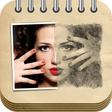
PicSketch is a multimedia application designed for Mac users, specializing in converting photos into artistic sketches. The software provides a variety of customizable filters and effects, allowing users to create unique sketch styles that can be tailored to individual preferences. With a user-friendly interface, it caters to both amateurs and professionals looking to enhance their artistic projects or simply have fun with their photos.

Top Recommended Alternative

In addition to its primary sketching capabilities, PicSketch includes features such as adjustable intensity levels, multiple output formats, and batch processing options. Users can easily import images from various sources, apply different effects, and export their creations for sharing or printing. Overall, PicSketch offers a comprehensive toolset for anyone interested in digital sketching and artistic photo transformations.

Enlarged image for PicSketch
PicSketch 0/5

Used PicSketch for Mac?


Explore More


Full Specifications

GENERAL
Release
Latest update
Version
1.1
OPERATING SYSTEMS
Platform
Mac
Operating System
  • OS X 10.8
  • Mac OS X
  • Mac OS X 10.7
  • Mac OS X 10.6
Additional Requirements
No Special Requirements
POPULARITY
Total Downloads
1,885
Downloads Last Week
0

Report Software

Program available in other languages


Last Updated


Developer’s Description

Picsketch is a nice sketch app for Mac. It takes only a few simple clicks to turn photo into sketch.
PicSketch is a powerful photo sketch software, with which anyone can easily turn photo to sketch in just a few mouse clicks. Not too much drawing knowledge? It is OK with this photo sketch app, you will be amazed by your picture sketch.Aiming to be a professional sketch software, PicSketch offers basis editing tools, such as rotate, adjust contrast and brightness, change photo sketch background. You can even choose a pencil sketch effects from the preset pencil drawing styles. In a word, you totally personalize your picture sketch.Be personalized to edit sketch photo
  • Define pen color as you like or colorize original colors on photo.
  • Adjust pen size according to your need.
  • Change picture sketch background with any color you wish.
  • Place a picture sketch background from well-designed wallpaper collection.
  • Apply moisture effect.
Various preset sketch effects / stylesIn Preset board, 15 specially prepared pencil sketches styles are available. You can choose one of them and apply on your photo. Giving your photo a sense of pencil drawing can't be easer. There are the best styles and work well for any kind of photo.Plus, you can freely adjust photo sketch contrast, brightness and alpha if neccesary. It gives you every aspeck to control your photo sketch.

Download.com
Your review for PicSketch
Download.com

AI Assisted Content Disclosure

Content created and reviewed by Softonic with information obtained from Softease Software, using AI.

CNET's editorial team was not involved in the creation of this content. Opinions, analysis and reviews were not provided by CNET.