Used Photo Frames Add your photos frame for Android?


Photo Frames Add your photos frame Analysis

AI Assisted Content ·

Not written by CNET Staff.

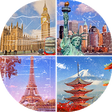
Photo Frames Add Your Photos Frame is a free Android application designed for users who wish to enhance their digital images with decorative frames. This software offers a wide variety of frame styles, allowing users to personalize their photos easily. With a user-friendly interface, it enables quick access to numerous design options, making it suitable for both casual users and photography enthusiasts.

The app facilitates the addition of frames to images from the device's gallery or through direct capture using the camera. Users can adjust the size and position of their photos within the frames, ensuring a perfect fit. Additional features include the ability to share edited images directly to social media platforms, making it convenient for users to showcase their creativity. Overall, the software serves as a practical tool for anyone looking to add a personal touch to their photography.

Enlarged image for Photo Frames Add your pho…
Photo Frames Add your photos frame 0/4

Used Photo Frames Add your photos frame for Android?


Explore More


Full Specifications

GENERAL
Release
Latest update
Version
1.2
OPERATING SYSTEMS
Platform
Android
Additional Requirements
None
POPULARITY
Total Downloads
24
Downloads Last Week
0

Report Software

Program available in other languages


Last Updated


Developer’s Description

Use our apps to make your memories, your special moments, and the photos of people you love more beautiful with great frames.

Use our apps to make your memories, your special moments, and the photos of people you love more beautiful with great frames. And it's very easy to use.

You can easily add frames or backgrounds by taking photos from your photo album or instantly from the camera, combine your own pictures with background pictures and share them with one touch. If you do not want to share, you can save the photos you have prepared in the gallery and then share the time you want.

You'll have beautiful, engaging and highly acclaimed images that you can easily share on social sharing platforms like Instagram, facebook, twitter, and whatsapp.

Teen Options: Choose from dozens of carefully chosen frames and background pictures. Add frames to pictures and combine them using your own photos with background pictures.

Add Text: You can add small notes, messages, names, and descriptions to your pictures. Moreover, using different fonts and different colors.

Tags: You can decorate your pictures with small stickers. Easily magnify and move texts and labels.

You can use the bar at the bottom of the screen to select photos from the gallery, take pictures with the camera, save them or share them instantly. Use the arrow at the top of the screen to add text and labels.

In our practice, there are photo frames for different feelings and situations like love, happiness, birthday, love, flower, waterfall, hearted frame prepared in different styles. You can also do simple photomontage work that you can create funny pictures.

Note: You need to give permission to select images from the gallery, capture images with the camera, and save and share your images. If you did not allow it in the first instance, you can choose to enter and apply the applications from the Settings section of your device and then open the permissions there.


Download.com
Your review for Photo Frames Add your photos frame
Download.com

AI Assisted Content Disclosure

Content created and reviewed by Softonic with information obtained from 6th Pro, using AI.

CNET's editorial team was not involved in the creation of this content. Opinions, analysis and reviews were not provided by CNET.