Used Photo Duplicate Cleaner for Windows 10 for Windows?


The Download Now link directs you to the Windows Store, where you can continue the download process. You must have an active Microsoft account to download the application. This download may not be available in some countries.

Editors’ Review

Download.com staff
This Windows 10 utility finds and removes duplicate photos from your collections. It safely creates a new archive of unique images, preserving your original files and folder structures while freeing up valuable disk space.
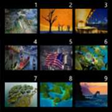
Enlarged image for Photo Duplicate Cleaner f…
Photo Duplicate Cleaner for Windows 10 0/3
  • Pros

    • Designed as a native Universal Windows 10 application
    • Non-destructive process creates a new archive of unique photos
    • Drag and drop interface for adding files and folders
    • Extensive filtering by date, file size, and filename
    • Operates in a secure least privilege mode by default
  • Cons

    • Exclusively available for the Windows 10 operating system
    • Does not offer in-place deletion of original duplicate files
    • Functionality is limited to photo files, not other media

Used Photo Duplicate Cleaner for Windows 10 for Windows?


Explore More


Full Specifications

GENERAL
Release
Latest update
Version
10.4.2.0
OPERATING SYSTEMS
Platform
Windows
Operating System
Windows 10
Additional Requirements
Available for Windows 10 (x86, x64)
POPULARITY
Total Downloads
118
Downloads Last Week
0

Report Software

Program available in other languages


Last Updated


Developer’s Description

Photo Duplicate Cleaner removes duplicate photos from your collections and archives, freeing up space and making those precious photos easier to find.
Photo Duplicate Cleaner removes duplicate photos from your collections and archives, freeing up space and making those precious photos easier to find. Photo Duplicate Cleaner has been exclusively designed as a Universal App for Windows 10 to provide the best possible experience; it's safe, secure, reliable, touch enabled and easy to use with a modern, clean user interface. From a single photo, to archives of hundreds of thousands, removing duplicates is easy and safe. It's 100% safe to use, we will never overwrite your original photos. We create a new archive of unique photos, replicating folder and file names as needed. This enables you to merge everything into one consolidated archive, or just a few photos for a project into a single folder. You may not want to clean all your photos, but it's often hard to find just the ones you do, so Photo Duplicate Cleaner has an extensive set of filters you can apply, from date taken, created or modified, size ranges, through to filename wildcards Privacy and Security are a high priority for us at Duckhead Software, we know that your photos are precious to you and as such we've designed Photo Duplicate Cleaner to use least privilege mode by default. You simply Drag 'n' Drop the folders and files you want converted, and that's all the app has access to, and if you ever need to contact support, we'll never ask for remote access to your computer or for any personal information. See our website for more details on security and safety.

Download.com
Your review for Photo Duplicate Cleaner for Windows 10