Used Passport Size Photo Maker for Android?


Passport Size Photo Maker Analysis

AI Assisted Content ·

Not written by CNET Staff.

Passport Size Photo Maker is a free Android application designed to simplify the process of creating professional-quality passport photos. Ideal for users needing to obtain new passports, this user-friendly app allows for photo selection from the gallery or direct capture using the camera. With a variety of editing tools, users can ensure their photos meet specific requirements. Adjustments such as resizing, rotating, and modifying brightness and contrast are easily accessible, making the app suitable for both novice and experienced users.

Top Recommended Alternative

In addition to basic editing features, Passport Size Photo Maker offers the option to add borders and customize colors, enhancing the overall appearance of the photo. Users can save their edited images for printing or share them directly from the app. The straightforward interface requires no account setup or fees, making it an appealing choice for anyone in need of quick and efficient passport photo solutions.

Enlarged image for Passport Size Photo Maker
Passport Size Photo Maker 0/3

Used Passport Size Photo Maker for Android?


Explore More


Full Specifications

GENERAL
Release
Latest update
Version
1.20
OPERATING SYSTEMS
Platform
Android
Operating System
Android 13.0
POPULARITY
Total Downloads
439
Downloads Last Week
0

Report Software

Program available in other languages


Last Updated


Developer’s Description

Create Professional passport size photos for official Visa or Identity Card.

Passport Size Photo Maker

Passport ID Photo Maker Studio is the best among free ID Photo maker, editor and combining apps. This app lets you save a lot of money by combining standard passport, id or VISA photos into single 4x6, 5x7 or A4 paper.

You don't need to go to a photo studio to make your passport size photo for official and visa purpose. All that you can do it instantly on this passport size photoe Editor app just using your mobile. Passport Photo Editor app will help you click or edit any photo to your country wise official passport photo size copy.

Create Professional passport size photos for official use. Passport Size Photo Maker Supports more than 150 Countries Passport and Visa Standards. Make your photos like professional studios with best editing tools like - Change Background, White Balance, Brightness, Contrast, Saturation and much more.

Passport ID Photo Maker application enables you to create ID card photo of your choice with image and any background, you can choose colorful background for it, as well as you can crop the background and apply new one to create your Identity Card photo of your choice.

Using Passport Visa Photo Maker app you can create passport size photos for official use in passport and visa for all countries of the world. You can create single or multiple ready to print passport photo page in full HD quality.

Passport photo maker is a mobile passport app which can be used to make photos for identity card, visa photo, school I.D card, office ID card and many more.

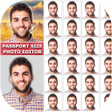
Passport photo maker app support multiple paper size to take print out . It can be used to get multiple number of photo like 1, 2, 4, 8 20. All standard sizes as well as custom size of paper is supported.

just Download Passport Size Photo Maker and create your own passport photo from your regular photos or phone camera.

Some of The best Feature of Passport Photo Editor ::

* Select your photo from gallery or take photo from your camera.

* Look straight and keep your face straight towards camera.

* Select your correct country and verify the size of your passport photo.

* We give you Different size and different type of your photo tool option.

* Rotate Left, Right, Horizontal, Vertical your photos as you like.

* Adjust your photos as your photo look front face.

* Crop the part of photo which u want to include in final passport photo.

* Adjust brightness, Contrast, Sharpness, White-balance & Exposure according to your requirement.

* Change your background with our auto back eraser feature.

* Using advanced edit, you can trim and erase edges of cut photos and fine tune photos that are cut.

* You can draw and erase to remove unwanted portion of your image/photo.

* Add Border over your photos. Choose Your border color from color picker.

* Select Print option and Paper size to how many copies you want.

* * For saving it to use for printing select paper sheet size (A4 , A5 etc).

* You can also add your custom paper size to print your final passport photo.

* Click on print preview button to see the final preview.

* Your Final passport photo save in your storage and our app gallery.

* Click on share button to send your passport photo by any other social media.

If you enjoy using our app. Please take a moment to review us and give your comment to help us further development. Thanks for your support!

If you like this app, then share with your friends and family as many as you can.

Regarding any query and problem of this Passport Size Photo Maker app, then mail us. We happy to help you to solve any query and problem.


Download.com
Your review for Passport Size Photo Maker
Download.com

AI Assisted Content Disclosure

Content created and reviewed by Softonic with information obtained from Photo Collage Maker, using AI.

CNET's editorial team was not involved in the creation of this content. Opinions, analysis and reviews were not provided by CNET.