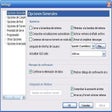
This onscreen keyboard assists in effortless typing and browsing, but doesn't allow modifications and takes some getting used to. Palm Pad's unique structure and keyboard buttons are cool. We're quite awed at how we can type and browse the Internet by simply hovering the mouse over the simulated keys the application places onscreen. In our tests, Palm Pad quickly responded as the pointer rested on the key of choice. Still, we aren't too pleased that the keyboard layout, reaction time for selecting keys, and size and onscreen positioning of the keyboard can't be configured. Though Palm Pad's keys are contiguous, it's not the standard keyboard layout. The unique design definitely requires some acclimation, certainly not a good thing considering its stingy 10-use trial restriction. Despite the negatives, those suffering from carpal tunnel syndrome or just about anyone who can't or doesn't want to deal with a keyboard may find Palm Pad beneficial.
The software creates a new interest for those who used to type by hand or browse Internet more often. This is definitely different from those old type on screen keyboards. Nice crystal design pleases the eyes and the special Mouse-over typing technique impressed me. Whenever I'm lazy to type this really helps. I believe if I use Palm Pad more often I can improve on my speed of mouse typing. I recommend this mostly to All but it's also Good for small kids and very old people too.
Cons
In the begining I couldn't type faster.I beleive I can improve on it.