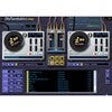
The virtual DJ setup of OtsTurntables Free lets you mix and tweak your own MP3s to make you sound like a world-class turntablist. The interface emulates a real-life setup of two turntables and a mixer. Each turntable has pitch, tempo, and direction control. There also are play, stop, and auto-fade controls, and the program comes with virtual outboard gear such as a power amplifier, a graphic equalizer, and a dynamics processor. The free version limits the dynamics processor to compression and gain control, however. Quirky effects such as Surface Noise, Various Scratches, and Needle Noise are interesting. We liked the auto-DJ function, which automatically crossfades between tracks. You can add individual files, CDs, streaming playlists (M3Us), or folders to the playlist. The program supports WAV and MP3 files, as well as its proprietary Ots format. Though this version appears feature-limited compared to the paid versions, OtsTurntables Free is a solid player for both newbies and laptop DJs.
What’s new in version 1.00.064
Version 1.0.048 features internal improvements and enhanced stability.
I WAS IN HEAVEN. THIS THING REDUCES VOLUME AND SHIFT GEARS LIKE YOU ARE A PRO,
Cons
IT REFUSES TO RUN ON WINDOWS 7. IT KEEPS SAYING MY RESOLUTION IS LOW WHEN IT IS HIGH
Summary
IT IS A GOOD SOFTWARE IF YOU ARE ON WINDOWS XP. OTHERWISE, FORGET IT.
Almost interesting
dreamlander
Pros
Some of the effects
Cons
The auto DJ is an amateur.
Summary
The whole point in my downloading this program was because I would like to effortlessly mix some of my music but do not have the talent to do it myself. For this reason the idea of the auto DJ appealed to me. OTS claims it will not just blindly overlap the songs to join them but actually analyze them for what I thought would be a smooth transition all the while playing itself as a true mix. What I found was that it allows one song to reach the end and then immediately follow the song with the next one in the playlist. I could have done that! That is not a mix. Thats just playing break free music which is easily accomplished by anyone by simply removing any silence at the begining and end of every track and removing pauses between tracks. Anyone with most any standard media player can do this. So what is the point in using OST? A TRUE Auto DJ will match the song beats and blend them together long enough for the listener to (nearly) identify the next song while the last song finishes. If you want a program to add some effects to your music this will suffice but if you want mixing done for you, keep looking.
its great mixer
philiprm
Pros
real easy to use
Cons
the real verson is a mess
Summary
i love free software
product itself works ok as a free player
djzzpop
Pros
easy to use
Cons
free version is acceptable, the full version is a ripoff!!
Summary
the money i spent purchasing a full version was a waste because after reinstalling my windows system my license is no longer valid.
i will no longer use this program.
It is really good -download!
junioralexander
Pros
Everything
Cons
Unable to save mixes,No special effects.
Summary
Great program, ease of use,really versatile on the auto mix feature.
i love it.
raver7
Pros
a little scratcher for your fun
Cons
i dont know. its not free but yeh
Summary
its a little thing you should download<br /><br /><span class='notifyMsg'> Updated </span>on Apr 21, 2010<p/>it says "OTS AUDIO" EVERY 50 SECONDS
Really awesome to play with - I love it
caxtin1
Pros
Just wonderfully done. I can't stop playing with it.
Cons
This free version inserts an announcement to your playing and cannot be disabled. For free, great program.
Summary
If the commercial announcement could be gone and the price about $10, then, it will be a PERFECT music tool.
Very good overall.
lawrencel7
Pros
When you get the hang of things very good for DJ's to mix to but wouldn't use it all the time because of the Audio every 3-4 songs.
Cons
When you download this it changes ur screensaver and in a mix 3-4 songs in, has a loud Ots Audio and not a very good way of promoting there Pro version there are other ways of doing this.
Summary
Very good for new DJ's just testing out software.
too comlpex
dianniello
Pros
Looks like this is a powerful program
Cons
very technical with a VERY LONG learning curve especially since the only way to see a user manual is to buy the pro version