Used nPlayer for Android?


nPlayer Analysis

AI Assisted Content ·

Not written by CNET Staff.

nPlayer is a robust multimedia application designed for Android devices, specializing in video playback. It supports a wide array of video formats, enabling seamless viewing experiences for users. The app is compatible with Android versions 9.0 and above, ensuring that most modern devices can utilize its features. With support for multiple languages, including English, Spanish, and French, nPlayer caters to a diverse user base.

Top Recommended Alternative

The application boasts several advanced features, such as subtitle support, various playback speed options, and customizable playlists. Users can also take advantage of its network streaming capabilities, allowing for the playback of media files from remote servers. Overall, nPlayer serves as a comprehensive solution for users seeking a versatile video player on their Android devices.

Enlarged image for nPlayer
nPlayer 0/4

Used nPlayer for Android?


Explore More


Full Specifications

GENERAL
Release
Latest update
Version
1.8.0.7-240308
OPERATING SYSTEMS
Platform
Android
Operating System
Android 13.0
POPULARITY
Total Downloads
993
Downloads Last Week
10

Report Software

Program available in other languages


Last Updated


Developer’s Description

Video player with powerful streaming playback and various convenient features.

** nPlayer officially supports DTS (DTS HD ), DTS Headphone:X.

- You don't need to convert video files to MP4 to play them in your mobile device. nPlayer enable you to play all kinds of video formats and codecs without file converting efforts.

- You don't need to store video files in your device with limited storage space. nPlayer's powerful and various network technologies will help you to stream them from remote devices.

- With your finger tip, you can adjust playback position, move to previous and next subtitle position, adjust location and font size of subtitles, control volume and brightness.

- Experience nPlayer, thousands of users recommendations.

* Features

- Supports officially DTS audio codec (DTS HD)

- Supports Pop-up play

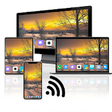
- Supports video cast for Smart TV

- Supports HDMI output

- Supports video files : MP4, MOV, MKV, AVI, WMV, ASF, FLV, OGV, RMVB, TP etc.

- Supports audio files : MP3, WAV, WMA, FLAC, APE etc.

- Supports subtitle files : SMI, SRT, SSA, IDX, SUB, LRC, SUP, MLP2 etc.

- Supports image files : JPG, PNG, BMP, GIF, TIFF etc.

- Supports playlist files : CUE, M3U, PLS

- Supports WebDAV, FTP, SFTP, HTTP, SMB/CIFS

- Supports UPnP/DLNA (supports subtitles if DLNA server provides subtitles information.)

- Supports cloud service (Amazon Cloud Drive, Box, Dropbox, Google Drive, OneDrive, Yandex.Disk)

- Playback speed control : 0.5x ~ 4.0x

- Resume playback

- AB repeat(specific section repetition)

- Screen lock

- Aspect ratio : Default, 1:1, 3:2, 4:3, 5:3, 16:9, 1.85:1 etc

- Supports multi-track audio

- Supports audio boost

- Supports audio sync

- Supports lyrics display

- Supports embedded subtitles

- Supports multi-track subtitles

- Supports user's selection of subtitle files

- Supports subtitles font, color, shadow, outline customization

- Supports subtitles sync

- Supports external subtitle fonts

- Supports SAMI(SMI) tag

- Supports SSA/ASS with full styling, embedded subtitles

- File management : Delete, Move, Rename, Create a folder

- Playlist management : Add, Delete, Modify

- Supports recently played list

- Folder lock

* Gesture Features

- Tap : Menu

- Double tap : Pop-up play

- Drag horizontally : Playback position adjustment

- Drag vertically on right half of the screen : Volume control

- Drag vertically on left half of the screen : Brightness control

- Pinch on the screen : Screen size adjustment

- Drag horizontally on subtitle text : Move to previous/next subtitle text

- Drag vertically on subtitle text : Subtitle position adjustment

- Pinch on subtitle text : Subtitle font size adjustment

- Supports finger gesture customization

"Big Buck Bunny" is licensed under the Creative Commons Attribution 3.0 Unported.

(C) copyright 2008, Blender Foundation / https://www.bigbuckbunny.org

"Elephants Dream" is licensed under the Creative Commons Attribution license.

(C) copyright 2006, Blender Foundation / https://orange.blender.org


Download.com
Your review for nPlayer
Download.com

AI Assisted Content Disclosure

Content created and reviewed by Softonic with information obtained from Newin Inc., using AI.

CNET's editorial team was not involved in the creation of this content. Opinions, analysis and reviews were not provided by CNET.