Used Next Launcher Theme Blue Xenon for Android?


Next Launcher Theme Blue Xenon Analysis

AI Assisted Content ·

Not written by CNET Staff.

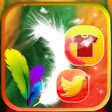
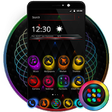
Next Launcher Theme Blue Xenon is a full version application designed for Android users seeking to enhance their device’s aesthetic. This theme features a striking blue color palette combined with sleek design elements that offer a modern look. Users can easily apply this theme to personalize their home screens, icons, and widgets, creating a cohesive visual experience. The application is compatible with Next Launcher, ensuring that users can take full advantage of its customization options.

Top Recommended Alternative

The theme includes a variety of unique wallpapers and icon packs that are designed to complement the blue xenon style. Additionally, it provides seamless integration with the Next Launcher interface, allowing for quick adjustments and settings. The user interface is intuitive, making it easy for users to navigate through the customization options. Overall, Next Launcher Theme Blue Xenon offers a comprehensive solution for those looking to refresh their Android device's appearance.

Enlarged image for Next Launcher Theme Blue …
Next Launcher Theme Blue Xenon 0/1

Used Next Launcher Theme Blue Xenon for Android?


Explore More


Full Specifications

GENERAL
Release
Latest update
Version
1.0.1
OPERATING SYSTEMS
Platform
Android
Additional Requirements
Compatible with 2.3.3 and above.
POPULARITY
Total Downloads
26
Downloads Last Week
0

Report Software

Program available in other languages


Last Updated


Developer’s Description

Next Launcher custom theme. Works in 3D & 2D with 1662 icons and many wallpapers
" DimensionX has the best quality at great price " WHAT WILL YOU GET? â?¢ Xenon Blue app with 2D and 3D Modes support (as shown in pics)â?¢ One 3D theme & one 2D theme (value=$2.99)>> 99% of graphics are changedâ?¢ 1662 extra custom HD Icons (value=$1.99 USD)>> DimensionX has many more icons in our apps, about 1000 icons more than other apps.â?¢ Clock widget ( value=$1.99 USD)â?¢ 47 Wallpapers>> 7 HD custom matching wallpapers>> BONUS 40 extra cloud-based wallpapers (Extra features only from DimensionX)â?¢ 1-click auto-apply button â?¢ Optimized file size to save you storage spaceDirections: This is a highly customizable theme for Next Launcher 3D.Please make sure that you have purchased and installed the latest version of the Next Launcher 3D.Installation in 2D normal classical mode1. Open Next Launcher 3D2. Press menu on your desktop3. Select Theme in Menu4. Select "Installed" 5. Select theme Xenon Blue and Apply Change to 3D mode 1. Open Next Launcher 3D2. Press menu on your desktop3. Select "Preferences" 4. Switch to "3D mode"Select Theme in 3D mode1. Press Menu on your desktop("Menu" also the 5th button on your dock on your desktop)2. Select "Theme"(the button looks like a hand)3. Select "Installed"4. Select Xenon Blue and ApplyOPEN DashboardLong press on the homescreen, Select ShortCUT (not NEXT Shortcut) Scroll down (in alphabetical order)Change wallpaper: Open this app1. Open your app drawer and open this app.2. Select Wallpaper in this app menu.3. Select Extra WallpaperYou can create a shortcut to the app for easier finding.Troubleshooting:1.If you don't see the theme, try the following:- Update NEXT Launcher to latest version.- Close Next Launcher 3d- Open it again.- Apply a NEXT Default theme- Follow Installation for 2D mode direction above again.- Follow Installation for 3D mode after.If you have any questions, please email me: Ten.Designer@gmail.comIf you prefer a different colors or see other themes:Our store on Google Play: http://goo.gl/taIyIaFor support, update, news:Web page: https://plus.google.com/+MichaelAXoThemes/posts http://www.xothemes.com To follow our apps, social with us:â?¢ Google: https://plus.google.com/u/0/communities/108429877838815336777â?¢ Facebook: http://www.facebook.com/xothemesâ?¢ Twitter: http://www.twitter.com/@xo_studioSincerely,Michael AuDimensionXContent rating: Everyone

Download.com
Your review for Next Launcher Theme Blue Xenon
Download.com

AI Assisted Content Disclosure

Content created and reviewed by Softonic with information obtained from DimensionX Media Systems, using AI.

CNET's editorial team was not involved in the creation of this content. Opinions, analysis and reviews were not provided by CNET.