Used Win 10 Launcher For Android for Android?


Win 10 Launcher For Android Analysis

AI Assisted Content ·

Not written by CNET Staff.

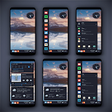
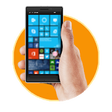
Win 10 Launcher for Android offers users a unique opportunity to mimic the Windows 10 interface on their mobile devices. This free application provides a variety of features, including customizable icons, a taskbar, and live tiles, creating a familiar environment for users accustomed to Windows. The launcher is designed to enhance user experience by providing a seamless transition between Android and Windows aesthetics.

Additionally, Win 10 Launcher includes several personalization options, allowing users to adjust themes, wallpapers, and layout settings to their preference. The app supports a range of widgets, making it easier to access apps and information directly from the home screen. Overall, this launcher serves as a practical tool for those seeking to replicate the Windows 10 look and feel on their Android devices.

Enlarged image for Win 10 Launcher For Andro…
Win 10 Launcher For Android 0/4

Used Win 10 Launcher For Android for Android?


Explore More

Full Specifications

GENERAL
Release
Latest update
Version
1.0
OPERATING SYSTEMS
Platform
Android
Additional Requirements
Requires Android 4.0 and up
POPULARITY
Total Downloads
16
Downloads Last Week
0

Report Software

Program available in other languages


Last Updated


Developer’s Description

Are you getting bored with Android's User Interface and want to enjoy Win style launcher on your Android. No wait now.

Are you getting bored with Android's User Interface and want to enjoy Win style launcher on your Android? No wait now. Win 10 Launcher is here for you. Customize your phone with unique look and feel with the fast, clean and energy efficient Launcher. Surprise your friends with new look of your Android and also share it with your loved ones.

Features of win 10 launcher:

- Designed for tablet and phones

- Simple launcher, easy to use and fastest launcher

- Customize by long pressing on any icon or tile.

- Folder feature - add or remove apps in folder

- Combination of small and big tiles

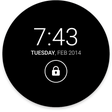
- Lock screen

- Use system wallpaper

- New contact tile

- 5 HD themes

- 15 language support

- Amazing animations

- Access all apps on the same page by just click on all apps button

- Beautifully designed UI for better use experience or beautiful colors

- Customize each or individual icon based on your choice, simply oneclick

- Weather forecast - Live widget

- amazing icons

- smooth UI for better user experience, feels like smooth surface

- change header and footer colors from color picker option

- add transparency in the colors

- wallpaper changer or set system wallpaper

- speed efficient

- color tiles and color themes

- up and down sliding animation for setting UI

- Beautiful metro homescreen.

Reminder:

- The live contact needs to read the contact data (Avatar) access permission;

- Direct dial call shortcut need the CALL PHONE permission;

- Direct send text message shortcut need Send Message permission.

- Download the themes need access the network permission.

- The LED Light need access the Camera permission.

How to Use:

1) Open the app and tick the Enable/Disable Screen check box to enable/disable it.

2) Click the Set Wallpaper to switch to different beautiful backgrounds.

3) Enable the Password Lock button if pin mode is required and set a pin.

win 10 theme supports the following launchers:

Nova launcher

Apex launcher

ADW launcher

Go launcher

And many other launchers

NOTE:

Not all launchers buttons are included in the main theme screen. You have to manually select for those Launchers.

Ex: Aviate Launcher

The amazing Theme Launcher for Win10 with your android phone or tablet is now available for free download. Win 10 Launcher is a fast and highly customisable launcher which is styled similar to Win Mobile devices , Experience the best user interface on android with Launcher for Win 10


Download.com
Your review for Win 10 Launcher For Android
Download.com

AI Assisted Content Disclosure

Content created and reviewed by Softonic with information obtained from Dev Turkish Everest, using AI.

CNET's editorial team was not involved in the creation of this content. Opinions, analysis and reviews were not provided by CNET.