Used My Photo Keyboard - Picture Keyboard for Android?


My Photo Keyboard - Picture Keyboard Analysis

AI Assisted Content ·

Not written by CNET Staff.

My Photo Keyboard - Picture Keyboard is a free Android application designed for users seeking to create personalized keyboards. This multimedia tool offers a user-friendly interface, enabling individuals to design custom keyboards without any coding knowledge. The app provides an array of features, including a diverse selection of themes, emojis, and stickers, allowing for a unique typing experience. Users can easily navigate through the various options to find the perfect aesthetic for their keyboard, enhancing both functionality and style.

In addition to its visual customization features, My Photo Keyboard offers multiple font styles, ensuring that users can tailor their text appearance to their preferences. The app's accessibility and ease of use make it suitable for a broad audience, from casual users to those looking for a more personalized digital communication experience. Overall, this application serves as a comprehensive tool for anyone interested in enhancing their keyboard experience on Android devices.

Enlarged image for My Photo Keyboard - Pictu…
My Photo Keyboard - Picture Keyboard 0/3

Used My Photo Keyboard - Picture Keyboard for Android?


Explore More


Full Specifications

GENERAL
Release
Latest update
Version
11.4.8
OPERATING SYSTEMS
Platform
Android
Operating System
Android 15.0
POPULARITY
Total Downloads
2
Downloads Last Week
0

Report Software

Last Updated


Developer’s Description

My Photo Keyboard - Picture Keyboard...

My Photo Keyboard - Picture Keyboard

A powerful My Photo Keyboard, moji keyboard with amazing custom keyboard features, is designed for those who like sending message with GIF,

emoticon & emoji. It is a MUST-HAVE picture keyboard.

Try it now! custom keyboard

Change your picture keyboard with my photo as picture keyboard background. We think my photo, picture keyboard will be among the top keyboard apps since

it is a custom keyboard of all android with amazing features!

my photo keyboard, picture keyboard is the best free keyboard theme of android with many thousands of features, helps you custom keyboard with your cute

Photos, Wallpapers, and different Templates.

How to install My Photo Keyboard - Picture Keyboard

Download the app My Photo Keyboard - Picture Keyboard.

set New My Photo Keyboard as the active keyboard.

select the app as the default picture keyboard.

choose from the set of default keyboard theme.

you can also download one of the compatible keyboard theme for this My Photo Keyboard, Picture Keyboard.

Features of Custom Keyboard, My Photo Keyboard

Custom Keyboard (DIY)

- Key Height adjustment.

- Font Color.

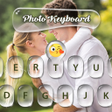
- Create picture keyboard by choosing your own photos, wallpapers, emojis of keyboard background.

- You can also change the theme color and customize the font style, size and color! for classy look!.

Fancy font typing for fun and chat with your friends.

Now Available! wastickerapps for whatsapp & other chat.

swipe-to-type, swiping keyboard.

Spell checker.

Auto text with AI powered predictions.

Words Suggestion.

Voice typing, Easily dictate text with a voice button press.

Fancy Fonts Style Supported.

Contacts share from moji keyboard.

The expandable toolbar menu with fast shortcuts.

Resize keypad to one-handed mode and split keyboard layout for phone and tablet.

Express yourself with GIFs, stickers and emoji.

Moji keyboard learns and predicts your favorite emoticons.

Browse the GIF keyboard to select the best GIF for your reaction.

online Offline colorful keyboard theme.

Make your own theme with my photo as the keyboard background.

Customize your keyboard size and layout as picture keyboard.

Keyboard supports over 100+ languages.

Download Now! keyboard theme, my photo, picture keyboard, picture keyboard background, custom keyboard for always matches your style with many keyboard themes.


Download.com
Your review for My Photo Keyboard - Picture Keyboard
Download.com

AI Assisted Content Disclosure

Content created and reviewed by Softonic with information obtained from My Photo - Picture keyboard, using AI.

CNET's editorial team was not involved in the creation of this content. Opinions, analysis and reviews were not provided by CNET.