Used Multiplayer Ludo for Windows?


Editors’ Review

Download.com staff
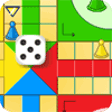
This multiplayer Ludo game offers a streamlined take on a classic board game. Players race to move all pieces home, strategically knocking off opponents along the way.
Enlarged image for Multiplayer Ludo
Multiplayer Ludo 0/1
  • Pros

    • Simple, classic board game mechanics
    • Four-player multiplayer mode
    • Roll a six for an extra turn
    • Knocking off opponent pieces restarts their progress
    • Exact throw required to enter home area
  • Cons

    • Requires exact throw to finish
    • Timed turns create pressure
    • Pieces start over when knocked off

Used Multiplayer Ludo for Windows?


Explore More


Full Specifications

GENERAL
Release
Latest update
Version
1.3.0
OPERATING SYSTEMS
Platform
Windows
Operating System
  • Windows 2000
  • Windows Vista
  • Windows 7
  • Windows 8
  • Windows XP
  • Windows 10
  • Windows NT
  • Windows 98
  • Windows ME
Additional Requirements
Adobe AIR runtime 2.5
POPULARITY
Total Downloads
24,679
Downloads Last Week
0

Report Software

Program available in other languages


Last Updated


Developer’s Description

Play a fun game with elements from Pachisi and Aeroplane Race.
Want to try a simpler board game before moving on to the more challenging ones? The exciting Multiplayer Ludo is for you. Your goal in this 4-player game is to move all your pieces around the board once, then move up the route of your color and finally arrive at the arrow-shaped area in the middle of the board before your opponents do so. When the game starts, each player will be assigned a set of 4 pieces in red, yellow, green or blue color. Then you and your opponents will take turns to roll a die and make valid moves accordingly. Before moving around the board, your pieces need to enter the board by moving to the starting square of your color marked with an arrow. During your turn, click the button on the screen to roll the die, and if a 6 is rolled, you can click to move one of your pieces to the starting square, and you will also be granted an extra roll. After moving to the starting square, your pieces can move around the board according to the numbers rolled. Note that you must finish your moves within the given time limit, as indicated by the timer on the screen, or you will lose. Since a square can only hold 1 piece, if your piece moves to a square currently occupied by an opponent piece, that opponent piece will be knocked off and it must start from the beginning again. When your piece is reaching the arrow-shaped area of your color in the middle of the board, an exact throw is required. Defeat your opponents before they get in your way.

Download.com
Your review for Multiplayer Ludo