Used Multi Screen Video Player for Android?
Multi Screen Video Player Analysis
AI Assisted Content ·
Not written by CNET Staff.
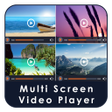
Multi Screen Video Player is a free Android application designed for users who want to watch multiple videos at once. This utility allows playback of up to four videos simultaneously, making it a unique tool for multitasking and media consumption. Users can choose from three different viewing modes: single screen, double screen, and four screens, catering to various viewing preferences. The application includes essential video player features that enhance the viewing experience, ensuring users have control over their media while enjoying multiple content streams.
Top Recommended Alternative
In addition to its multi-screen capabilities, the app provides a user-friendly interface that facilitates easy video management. Users can add videos to any screen by clicking the plus button, making it simple to customize their viewing setup. Each video has its own dedicated media controls, including volume, play, pause, forward, rewind, and mute options. Brightness and volume adjustments can be made with intuitive swipe gestures, enhancing usability while watching multiple videos.
Used Multi Screen Video Player for Android?
Explore More

Velvet Proxy
Free
AndroZip Free File Manager
Free
Android TV ADB Mouse Keyboard
Free
KPlay PRO
Free
MIFARE DESFire EV1 NFC Tool
Free
HondaLink
Free
Jtvideo - Video player
Free
Sweetie AI: AI Chat Love
Free
RocketSpace: VPN Proxy
Free
Movionix Ai : Photo to Video
Free
Growelly: Social Growth
Free
WiFi Connect Password Share
Free











