Used Tattoo my Photo 2.0 for Android?


Tattoo my Photo 2.0 Analysis

AI Assisted Content ·

Not written by CNET Staff.

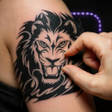
Tattoo My Photo 2.0 is a free Android application designed for users who want to create personalized tattoo designs using their own images. The app offers a variety of tattoo styles, allowing users to add designs, customize text, and adjust various parameters like size, angle, and color. It is user-friendly, making it accessible for anyone interested in exploring tattoo art without the need for professional skills. Whether for fun or serious consideration, this app provides a platform for creativity.

The application is compatible with a wide range of Android devices, including tablets and smartphones. Its intuitive interface allows users to select suitable tattoo designs from a gallery, incorporate text elements, and modify the overall appearance of the tattoo. Additionally, users can share their creations on social media, making it a versatile tool for tattoo enthusiasts and those looking to visualize their ideas before making permanent decisions.

Enlarged image for Tattoo my Photo 2.0
Tattoo my Photo 2.0 0/4

Used Tattoo my Photo 2.0 for Android?


Explore More


Full Specifications

GENERAL
Release
Latest update
Version
3.1.67
OPERATING SYSTEMS
Platform
Android
Operating System
Android 15.0
POPULARITY
Total Downloads
126
Downloads Last Week
0

Report Software

Program available in other languages


Last Updated


Developer’s Description

Tattoo my Photo app lets you try new tattoo designs, without any pain.

"Tattoo my Photo" app lets you try new tattoo designs, without any pain! Tattoo yourself on your own photos. Using our app you will feel like in a virtual tattooing saloon or photo booth machine. Just choose a pic from gallery or take one using camera, choose the inked tattoo design that fits your style, rotate, resize, save and share your effect! Let your friends think that you are really tattooed ;)

Our editing tool contains a lot of artistic tattoo ideas for kids, both girls and boys, tatto for women and men (browse for example rose, dragon, polynesian or tribal tattoos and much more!).

Remember, making ink in real world is not a game, they will stay on your skin forever, so first check how it looks in our application. Also the studies have shown that tattooed women and men arouse more interest in others. But you can have this effect just from the photos, can't you? The result doesn't look like fake tattoo, do not worry and try.

In the new version you can also add your own text tattoo. Choose a font, type a text and it is ready! The new version allow you to see a tatts of the day. This tats are free for this one day.

Now you may add your own design from other photo. Just choose one from gallery or find some in internet.

Recently we added tattoo ideas section. Now you can check out real pics from other people and add your own to the social part of gallery. Publish your own design or find an inspiration!

Our photo editor is mostly free, but you can also buy special tatoo pack, check it now!

How to use:

- choose photo from camera or gallery,

- press red button to add new tatts (choose the one you like from handy categories),

- place the tattoo stencils on best place on your body. Move markers, rotate, resize and edit to best suit,

- erase unwanted parts of design,

- add another ink to your picture. Remember on the right part of the screen you can pull out the layout with layers. Choose here the element on which you want to work,

- on the left side there is one more layout. Here you can change transparency of tattoo, flip, change colors and more filters,

- finally save & share the result image!

- in our simulator gallery you can browse your own cool body art created by you in the app.

In new version you are able to change height, width of tattoo and skew&flip it as well. Much more soon!


Download.com
Your review for Tattoo my Photo 2.0
Download.com

AI Assisted Content Disclosure

Content created and reviewed by Softonic with information obtained from Bizo Mobile, using AI.

CNET's editorial team was not involved in the creation of this content. Opinions, analysis and reviews were not provided by CNET.