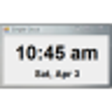
This PC alarm plays an MP3 file at the time you designate, but it doesn't provide its own media player. MP3 Alarm provides a basic, easy-to-understand scheduler; just choose from the tabs representing days of the week, set the exact alarm time, browse for the MP3 file to serve as an alarm, and press SET/Adjust. Don't expect too much in the way of features, however. You can't modify the alert message or set more than one alarm per day, the program doesn't include a comprehensive scheduler, and you must have a third-party media player because it can't play the MP3 files without them. As another hurdle, Microsoft .NET Framework 1.1 must be installed to use MP3 Alarm. Though this program is free and handy, users searching for this sort of alarm can easily find another one with more features.
Works by launching your default mp3 player and therefore eliminates the constant 'run time' errors I got when I tried several other alarm software versions. It is also very easy to use and set. If youve wasted your time with other programs that promise to to the same thing, this might be the one for you.
Cons
I would like to be able to change the back color of the application window. The orange/yellow is not very attractive. Overall though the program works very well!