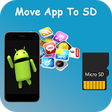
Used Move apps To SD Card for Android?
Move apps To SD Card Analysis
AI Assisted Content ·
Not written by CNET Staff.
Move Apps To SD Card is a utility designed to help Android users manage their storage more effectively by transferring applications from internal memory to an SD card. This program provides an intuitive interface that allows users to easily select which apps to move, helping to free up space on their device without the need for complicated processes. The app supports a variety of file formats and is compatible with most Android versions, making it a versatile tool for managing app storage.
Top Recommended Alternative
In addition to its core functionality of moving applications, Move Apps To SD Card also provides users with a clear overview of their storage usage. Users can quickly identify which applications are taking up the most space and make informed decisions about which ones to transfer. The app does not require root access, ensuring that it can be used by a wide audience without risk. Overall, this utility serves as a practical solution for those looking to optimize their device's storage capacity.
Used Move apps To SD Card for Android?
Explore More

Ultimate USB All-In-One Tool
Free
90FPS with IPAD View PUBG
Free
TV file transfer
Free
NetDoctor VPN VPN Proxy
Paid
WiFi Observer
Free
Front Elevation Design
Free
Wifi Hotspot Free from 3G, 4G
Free
Battery Saver 2019 - Fast Charger - Super Cleaner
Free
RNGesus
Free
Fingerface - FaceID backward compatible
Paid
Tracker Detect Pro for AirTag
Free
ZIVPN Tunnel (SSH/DNS) VPN
Free











