Used MONOO Next Launcher 3D Theme for Android?


MONOO Next Launcher 3D Theme Analysis

AI Assisted Content ·

Not written by CNET Staff.

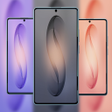
MONOO Next Launcher 3D Theme is an innovative personalization tool for Android devices, designed to enhance the visual appeal of your home screen. This full version application offers a unique 3D interface that allows users to customize their device with a variety of themes, icons, and wallpapers, providing a fresh look and feel. The app supports dynamic effects and transitions, making navigation more engaging and visually appealing.

Top Recommended Alternative

With MONOO Next Launcher 3D Theme, users can easily modify their device's layout and aesthetics. The application includes a range of customizable widgets and icon packs that can be tailored to individual preferences. Additionally, it offers users the ability to create shortcuts and manage apps efficiently, ensuring that the theme not only enhances the appearance but also improves usability. Compatibility with various Android versions makes it accessible to a wide audience.

Enlarged image for MONOO Next Launcher 3D Th…
MONOO Next Launcher 3D Theme 0/4

Used MONOO Next Launcher 3D Theme for Android?


Explore More


Full Specifications

GENERAL
Release
Latest update
Version
4.80
OPERATING SYSTEMS
Platform
Android
Additional Requirements
Requires Android 1.6 and up
POPULARITY
Total Downloads
27
Downloads Last Week
0

Report Software

Program available in other languages


Last Updated


Developer’s Description

IMPORTANT...

IMPORTANT

The Next Launcher 3D Shell is no longer available in the Google Play Store. My Next Launcher themes is only for those who still have the Next Launcher. If recently purchased themes you can not use, just send me a mail, so I can then cancel the purchase

This app contains only the MONOO Next Launcher 3D Theme

Apps and widgets are used in the preview screenshots, are not a part of this Next Launcher 3D Theme. More Apps, Widgets or Themes/Skins from the MONOO Collection available on Google Play Store.

Features

- 1700+ HQ 3D icons

- Themed HD Wallpapers

- 1400 XXXHDPI Icon 256x256 px

- 300 XHDPI Icon 144x144 px

- Support 2D and 3D mode

- completely redesigned in soft touch style

- New folder interface experience

- Many folder category icons to sort your apps

- Support main dynamic calendar

- Masking for unthemed ones

- Alternative icons to choose

- Report bugs via email

- etc

Make sure the Next Launcher 3D has been installed!

(Search Next Launcher 3D to download)

Installation in 2D mode

Press and hold on homescreen on your Android phone >> Themes >> Phone >> Select Theme.

Installation in 3D mode

Switch Next Launcher to 3D mode >> click desktop menu >> select Themes >> Phone >> Select Theme.

How to add the custom icons

long press icon on homescreen >> than will pop up some little symbol-icons >> and tab on the symbol it looks like a paper document. On my screen it is the second last. than wait 2sec. and you will see all special icons

Installation Recommendations

20 special icons, covers the main apps of the phone such as Dial, SMS, Playstore and so on. The other special icons must be set manually. If you don't see the theme, then after installation you must first apply the standard theme of the Next Launcher. After that, the theme appears in the selection of themes

Contacts

If you have any problems or any suggestions for my Next Launcher 3D Themes,

please do not hesitate to tell me. I will help you! E-mail: scapemem@gmail.com

memscapenextlauncher

memscapemonoo

copyright all rights reserved Memscape

next launcher theme zt.art

com.gtp.nextlauncher.theme


Download.com
Your review for MONOO Next Launcher 3D Theme
Download.com

AI Assisted Content Disclosure

Content created and reviewed by Softonic with information obtained from Scapemode, using AI.

CNET's editorial team was not involved in the creation of this content. Opinions, analysis and reviews were not provided by CNET.