Used MIUI Theme Editor for Android?


MIUI Theme Editor Analysis

AI Assisted Content ·

Not written by CNET Staff.

MIUI Theme Editor is a free Android application designed for users who wish to personalize their device's appearance. The app features an intuitive interface, making it accessible even for those without prior experience in theme customization. Users can easily navigate through the various options available to create a unique look for their devices.

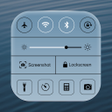
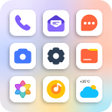
The application offers an extensive range of customization options, allowing users to modify elements such as fonts, status bar icons, and lock screen designs. Additionally, users can change the wallpapers for incoming calls and other aspects of their device's interface. This level of personalization enables users to express their style and preferences effectively.

Enlarged image for MIUI Theme Editor
MIUI Theme Editor 0/4

Used MIUI Theme Editor for Android?


Explore More


Full Specifications

GENERAL
Release
Latest update
Version
1.8.34
OPERATING SYSTEMS
Platform
Android
Operating System
Android 15.0
POPULARITY
Total Downloads
3,351
Downloads Last Week
0

Report Software

Program available in other languages


Last Updated


Developer’s Description

Your #1 choice to edit Xiaomi (MIUI) themesStop your ads blocker to run it.

* Stop your ads Blocker to be able to run it*

* No Root *

Note: Installing themes on MIUI 9 Beta Updates is not supported. This limitation is due to Xiaomi's restrictions. You can request this feature from Xiaomi.

MIUI Theme Editor is the most powerful Xiaomi (MIUI) theme editor with its simple and awesome UI and its wide set of options to help you customizing your phone easily. It's fully free and available to everyone. You can pick, edit and save your theme quite fast. Never hesitate to download it.

Features

- Multi option for selecting themes :

--- Picking from theme manager

--- Browsing storage

- Edit description

- Edit system font to whatever you want and choose between :

--- Built-in fonts (built-in fonts support only English language if not working with you try to get font support your language ".ttf" and select it by "choose a custom .ttf font" option).

--- Browsing storage.

- Edit apps icons by :

--- Selecting an icon mask.

--- Selecting dynamic icons.

--- Importing all icons from an installed icon pack.

--- Selecting icons manually for each app.

- Edit status bar icons (battery, signal and WiFi).

- Edit home screen wallpaper.

- Edit lock screen wallpaper & style.

- Editing notification panel background & icons.

- Editing incoming calls background.

And more discover it by yourself.

We hope you'll enjoy the app. If you like it, then please rate it 5 Stars.

If you have any bug or suggestion, please contact us.

Thanks


Download.com
Your review for MIUI Theme Editor
Download.com

AI Assisted Content Disclosure

Content created and reviewed by Softonic with information obtained from MixApplications, using AI.

CNET's editorial team was not involved in the creation of this content. Opinions, analysis and reviews were not provided by CNET.