Used Miracast Screen Mirroring (Wifi Display) for Android?


Miracast Screen Mirroring (Wifi Display) Analysis

AI Assisted Content ·

Not written by CNET Staff.

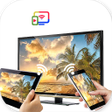
Miracast Screen Mirroring is a multimedia application designed for Android devices that allows users to wirelessly project their screens onto larger displays. This app is particularly useful for those looking to enhance their viewing experience when watching videos, playing games, or browsing the web. It features a straightforward interface with only four buttons, making it accessible for users of varying technical skills. The primary function, WiFi Display, enables users to select from available devices for screen mirroring, streamlining the casting process significantly.

Top Recommended Alternative

While the app is designed to be user-friendly, some users may encounter challenges, particularly related to connectivity and device compatibility. A pop-up help file offers guidance, which can be beneficial for troubleshooting. Users should ensure that both their device and the target display support Miracast technology and are connected to the same WiFi network. Overall, Miracast Screen Mirroring provides a convenient way to enjoy multimedia content on larger screens, though initial setup may require some attention to detail.

Enlarged image for Miracast Screen Mirroring…
Miracast Screen Mirroring (Wifi Display) 0/4

Used Miracast Screen Mirroring (Wifi Display) for Android?


Explore More


Full Specifications

GENERAL
Release
Latest update
Version
1.21
OPERATING SYSTEMS
Platform
Android
Operating System
Android 13.0
POPULARITY
Total Downloads
154
Downloads Last Week
1

Report Software

Program available in other languages


Last Updated


Developer’s Description

Miracast will assist you to scan and mirror your android phone on smart TV.

Miracast or Screen Mirroring able to play videos, music, photos, etc in my smartphone with any devices (smartphone, smartTV, laptop, tablet, etc) at anywhere.

Screen Mirroring provides an easy shortcut and widget to use the Miracast external display screen casting feature included in Android 4.2 and above!

With this app, user will more conveniently be able to mirror own screen or use the cast feature from supported devices.

To Share/mirror mobile screen to SmartTV or Wifi Display dongle connected to TV,

Following steps needs to performed:

1. Check your TV wheather it supports Wireless Display / Miracast.

2. Make sure TV is connected to the same WiFi network as your mobile device. You can't connect it with wired connection (LAN).

3. Make sure your Android device version is 4.2 or higher.

4. Make sure your device inbuilt hardware of Miracast.

5. Download and run Miracast App.

How to use?

Firstly App open then click on wi-fi display you will go on cast screen directly.

Enable the TV Miracast.

Tap on start wifi of the application.

Miracast application should be enabled.

Both will connect automatically to each other then you can see same mobile screen show on Smart TV.

Ease of Use: The app is fast event in 3g-4g-6g network and easy to browse .

Miracast gives you -

- Truly amazing graphics

- Amazing animations

- Carefully crafted option more apps

Please note: that the app works on 2G, 3G, 4G,6G and WiFi connectivity


Download.com
Your review for Miracast Screen Mirroring (Wifi Display)
Download.com

AI Assisted Content Disclosure

Content created and reviewed by Softonic with information obtained from firstswap, using AI.

CNET's editorial team was not involved in the creation of this content. Opinions, analysis and reviews were not provided by CNET.