Used Minuum Keyboard Free + Emoji for Android?


Minuum Keyboard Free + Emoji Analysis

AI Assisted Content ·

Not written by CNET Staff.

Minuum Keyboard Free + Emoji is a productivity application designed to improve typing efficiency on mobile devices. This software caters specifically to users with larger fingers, offering a compact keyboard that optimizes screen space while maintaining functionality. The app features an A.I.-enabled predictive text system that learns user typing habits, allowing for faster and more accurate input. Users can also access a variety of emojis easily, enhancing their messaging experience. The introductory tutorial takes only fifteen seconds, enabling quick acclimatization to the app's features.

Top Recommended Alternative
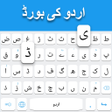
The keyboard boasts two modes: a full keyboard for extensive typing tasks and a mini keyboard that maximizes screen visibility while utilizing predictive text. Minuum is designed for users who often type on-the-go, featuring a patent-pending algorithm that predicts text input without needing to look at the keyboard. Customization options include keyboard color, themes, and full autocorrect control, providing a personalized typing experience. Despite some navigation challenges due to its extensive options, Minuum offers consistent performance for mobile typing needs.

Enlarged image for Minuum Keyboard Free + Em…
Minuum Keyboard Free + Emoji 0/5

Used Minuum Keyboard Free + Emoji for Android?


Explore More


Full Specifications

GENERAL
Release
Latest update
Version
3.5.2
OPERATING SYSTEMS
Platform
Android
Operating System
Android 9.0
POPULARITY
Total Downloads
43
Downloads Last Week
0

Report Software

Program available in other languages


Last Updated


Developer’s Description

The smaller, smarter keyboard. Now with predictive emoji.
Try Minuum for FREE for 30 days. MINUUM - The smarter, smaller keyboard that lets you do more with your screen space. It's the little keyboard for big fingers. One of the "12 best Android apps of 2014" - Karissa Bell, Mashable. Minuum is best known for: SLOPPY TYPING -- Type surprisingly fast and delightfully sloppy. SMART EMOJI -- Always have the right emoticon right at your finger tips. SHAPESHIFTING -- Save screen space, enable one-handed typing or reposition your keyboard entirely Spend 15 seconds with the introductory tutorial and you'll be able to start typing with Minuum--instantly. The more you type, the better Minuum gets. MULTI-LANGUAGE CAPABILITYDownload language modules and quickly switch between them. We currently support: English. Spanish. French. German. Italian. Portuguese-BR. Russian. Dutch. Swedish. Czech. Polish. Portuguese-PT. Turkish BONUS PANELSMinuum is always finding ways for you to enjoy your screen space through brand new bonus panels: CURSOR CONTROL -- Tweak your texts, emails, and posts with ease. CLIPBOARD TOOLS -- Quickly cut, copy and paste. SEARCH & SHARE -- Instantly access thesaurus, dictionary, search, and share. EMOJI--Express yourself better with immediate access to all 856 emoticons. TYPING SPEED -- Monitor your typing speed DISCOVER MOREThe Minuum keyboard for touchscreens is the first step toward a "type anywhere" future. Soon Minuum will let you type in ways you never imagined. For more information: http://www.minuum.com FEATURES AT A GLANCE. FAST SLOPPY TYPINGType fast without worrying about precision, thanks to ridiculously smart auto-correction that learns as you type. MORE SCREEN SPACERecover more than half of the touchscreen space you lose when using traditional virtual keyboards. HELP FOR THE LARGE-FINGEREDUse key magnification for precise letter, number, and punctuation entry--very useful if you have large fingers. DIFFERENT ALPHABET ARRANGEMENTSChoose from alternate keyboard layouts--such as "QWERTZ", "AZERTY", "A-Z. ". EXPANSION TO FULL-SIZED KEYBOARDDrag on the candidates bar to quickly switch between mini and full-size modes (useful for URLs and passwords). SMART WORD PREDICTIONSpeed up your typing via suggestions from a predictive engine that learns from your word list, word combos, and language use patterns. SMART EMOJISwipe the word predictions left to find your Smart Emoji suggestions. Learn more about "the quest for the perfect emoji" here: http://goo. gl/sxQT9w. VOCABULARY CONTROLMinuum learns from your vocabulary, and lets you delete words from your dictionary though a pop-up display. RAPID GESTURE SHORTCUTSSlide your fingers to the corners for quick, convenient access to all your features via pop-up keys. VOICE TYPINGEnter text hands-free via Google Voice Typing for voice-to-text typing when performing other activities. REAL MULTITASKINGIf you've got split-screen capability, multitask more effectively as a result of extra screen space. SUPPORTVisit http://support. minuum.com to: Share ideas with the Minuum community. Give product feedback. Get help PRIVACYThe Minuum keyboard stores data about your typing tendencies on your device. We do not collect typing data remotely and will not do so without first asking you. Please see our privacy policy: http://www.minuum.com/data ABOUT OUR NAMESome people call us "Minum" or the "Minimum" keyboard but an easy way to remember the Whirlscape Minuum Keyboard is to think of a continuum of letters taking up minimal space. For updates, join our mailing list at http://eepurl.com/zwd8T.

Download.com
Your review for Minuum Keyboard Free + Emoji
Download.com

AI Assisted Content Disclosure

Content created and reviewed by Softonic with information obtained from Whirlscape, using AI.

CNET's editorial team was not involved in the creation of this content. Opinions, analysis and reviews were not provided by CNET.