Used Minesweeper - For iPhone and iPad for iOS?

Minesweeper - For iPhone and iPad Analysis

AI Assisted Content ·

Not written by CNET Staff.

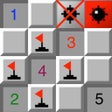
Minesweeper for iPhone and iPad is a digital adaptation of the classic puzzle game, where players navigate a grid filled with hidden mines. The goal is to clear the minefield by tapping squares without detonating any mines. Each square displays a number that indicates how many mines are adjacent to it, guiding players in their decisions. The game includes a flag feature that allows players to mark suspected mine locations, enhancing strategic gameplay. Available for free, it caters to both casual players and Minesweeper enthusiasts alike.

The app features three preset game modes: Beginner, Intermediate, and Expert, which vary in grid size and mine quantity. Players can start with a manageable 9x9 grid containing 10 mines or challenge themselves with a 30x30 grid featuring 99 mines. Additionally, a custom mode is available, allowing players to tailor the field size and mine count, ranging from a minimum of 5x5 with 5 mines to an extensive 60x60 grid with 1200 mines. This variety ensures that players of all skill levels can enjoy a tailored gaming experience.

Enlarged image for Minesweeper - For iPhone …
Minesweeper - For iPhone and iPad 0/1

Used Minesweeper - For iPhone and iPad for iOS?


Explore More


Full Specifications

GENERAL
Release
Latest update
Version
3.2.3
OPERATING SYSTEMS
Platform
iOS
Operating System
iOS 16.4
POPULARITY
Total Downloads
15
Downloads Last Week
0

Report Software

Last Updated


Developer’s Description

Classic MinesweeperClear the minefield by tapping each square without tripping off a mine. Trip one off, you lose. Each numbered square tells you...
Classic MinesweeperClear the minefield by tapping each square without tripping off a mine. Trip one off, you lose. Each numbered square tells you how many mines touch that square (the 4 flat sides and 4 corners).To use the flag feature, press and hold on the specific square you want it on to set or unset a flag. The flag is used for where you think there is a mine and the mine locations will be revealed when you win, or blow up.If the minefield is larger than the screen, you scroll.This has 3 preset game modesBeginner - 9x9 field with 10 minesIntermediate - 16x16 field with 40 minesExpert - 30x30 field with 99 minesThen there is a custom mode where you can have a minimum of a 5x5 field with 5 mines all the way up to a 30x30 field with 300 mines.

Download.com
Your review for Minesweeper - For iPhone and iPad
Download.com

AI Assisted Content Disclosure

Content created and reviewed by Softonic with information obtained from Moxski, using AI.

CNET's editorial team was not involved in the creation of this content. Opinions, analysis and reviews were not provided by CNET.