Used Mi Control Center: Notifications and Quick Actions for Android?
Mi Control Center: Notifications and Quick Actions Analysis
AI Assisted Content ·
Not written by CNET Staff.
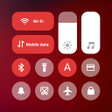
Mi Control Center: Notifications and Quick Actions is a free Android utility that offers users a customizable interface for quick access to notifications and settings. Drawing inspiration from iOS and MIUI designs, the app allows for personalized quick toggles, enhancing user interaction with their devices. It features multiple layout options, enabling users to separate or combine notification and quick toggle windows, providing flexibility in how they manage their device's functionalities.
Top Recommended Alternative
The app includes aesthetic choices such as various background types—solid colors, live images, or blurred effects—and offers a range of toggle customization options. However, users may encounter issues with the brightness slider, which can be inconsistent in reflecting the correct levels. Overall, Mi Control Center is designed for those seeking a visually appealing and functional way to manage device settings.
Used Mi Control Center: Notifications and Quick Actions for Android?
Explore More

Origin X : lock screen AOD
Free
SillyWall Smile Live Wallpaper
Free
Autumn Landscape Wallpaper
Free
Fonts for FlipFont 50 #25
Free
GO SMS GREEN LIFE THEME
Free
Doodling Wallpaper
Free
3D Autumn Waterfall Wallpaper
Free
Bon Towers Rush
Free
Fonts for FlipFont 50 Brush
Free
Fonts for FlipFont 50 Hand
Free
Flowers Analog Clock Live Wallpaper
Free
Aa Font Keyboard: Theme Font
Free











