Used Metro Clock Widget for Android?


Metro Clock Widget Analysis

AI Assisted Content ·

Not written by CNET Staff.

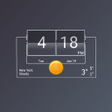
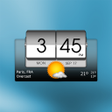
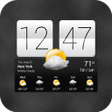
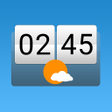
Metro Clock Widget is a free Android application that combines weather updates with a digital clock and calendar functionality. This app is designed to enhance user convenience by providing real-time weather information alongside time and date displays. Users can choose between 12-hour and 24-hour clock formats, ensuring accessibility for various preferences. Additionally, shortcuts to the alarm clock and detailed weather forecasts streamline the user experience and provide essential information at a glance.

Top Recommended Alternative

A standout feature of Metro Clock Widget is its ability to display the time from different time zones, making it particularly useful for users with connections to various regions. The app also features a dynamic background light that adjusts based on sunrise and sunset times, adding a visually appealing element to its functionality. Overall, the app is tailored to users seeking an integrated solution for weather and time management.

Enlarged image for Metro Clock Widget
Metro Clock Widget 0/4

Used Metro Clock Widget for Android?


Explore More


Full Specifications

GENERAL
Release
Latest update
Version
7.1.0
OPERATING SYSTEMS
Platform
Android
Operating System
Android 9.0
POPULARITY
Total Downloads
50
Downloads Last Week
2

Report Software

Program available in other languages


Last Updated


Developer’s Description

This is beautiful widget a combination of clock and weather widget.
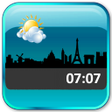
If you are experiencing problems, email to developer directly. We try our best to solve your problems. Instead of getting mad at comments and giving poor rating.We call it, Metro Clock! This is beautiful widget a combination of clock and weather widget with extended functionality. You can see Clock, Calendar and Weather information. All on a single widget.It is lightweight (both apk size and data traffic), efficient and effective widget.General Features:1. 4x2 sized widget2. Weather Information / Digital Clock / Calendar3. Digital reading of the clock, both 12H and 24H format4. Tap on a widget to enter setting configuration5. Choose 5 Europe City Themes6. Enable shortcut to stock Alarm Clock and Weather Details7. Show Device Time or even Show any selected City time based on Timezone8. Day or Night background light according to Sunrise/Sunset timeWeather Features:1. Support both Metric (Celcius) and Imperial (Fahrenheit) measurement unit2. Auto Refresh3. Today and Tomorrow Forecast Weather Data Full Version:1. Choose 5 Europe City Themes and Choose 5 Asia City Themes2. Dawn-Morning-Day-Dusk-Night background light according to Sunrise/Sunset timeI prepare 2 versions here. Free version and Full version.If you like my widget you can consider to buy me a cup of JAVA coffee to accompany me on sleepless night. (^.^) Haha just kidding...Just please consider to buy Full Version to support development. It would be at reasonable price. And you'll get more features compared to the free version :)NB : 1. This is a widget not an application. Installation does not give you application. Instead, go to Home Screen and long press to add a Widget.2. In case of Force Close, try to remove then add the widget back to home screen or reboot your device.3. Avoid any task killer that may stop this widget.4. The weather information is powered by Yahoo Weather.5. The weather image is powered by Enthropia Labs Graphics under Creative Commons Attribution-Share Alike 3.0 License.6. The city silhouette image is powered by http://vecto2000.com/ under Creative Commons License.Enjoy!Tag : clock, calendar, weather, widget, digital, city, metroRecent changes:+ Fix layout issueContent rating: Everyone

Download.com
Your review for Metro Clock Widget
Download.com

AI Assisted Content Disclosure

Content created and reviewed by Softonic with information obtained from Upper Duper, using AI.

CNET's editorial team was not involved in the creation of this content. Opinions, analysis and reviews were not provided by CNET.