Used 3D Flip Clock & World Weather for Android?


3D Flip Clock & World Weather Analysis

AI Assisted Content ·

Not written by CNET Staff.

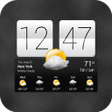
3D Flip Clock & World Weather is a free Android app that combines a functional clock with a comprehensive weather forecasting system. Users can enjoy a visually appealing interface with a 3D flip clock display, which not only shows the time but also provides real-time weather updates. The app includes features such as weather alerts and the ability to customize the weather provider for more accurate forecasts. This dual functionality makes it a practical choice for those who want both time and weather information at a glance.

In addition to its aesthetic appeal, the app offers a range of widgets that can be placed on the home screen, allowing users to access weather information quickly. The app is designed to cater to various preferences, enabling customization of backgrounds and clock designs. With its combination of functionality and visual charm, 3D Flip Clock & World Weather stands out in the crowded weather app market.

Enlarged image for 3D Flip Clock & World Wea…
3D Flip Clock & World Weather 0/4

Used 3D Flip Clock & World Weather for Android?


Explore More


Full Specifications

GENERAL
Release
Latest update
Version
8.92.1
OPERATING SYSTEMS
Platform
Android
Operating System
Android 15.0
POPULARITY
Total Downloads
106
Downloads Last Week
0

Report Software

Program available in other languages


Last Updated


Developer’s Description

A fully customizable 3D flip clock and world weather widget
3D Flip clock & world weather widgetA full featured, size 4x2 fully customizable digital clock and weather forecast widgetThe widget features the following:- 36 skins to chose from (more skins coming in the future)- Support for external theme packs (theme packs can be downloaded separately)- 4 weather icon skins- 8 fonts for the time- Portrait or landscape mode- 12 or 24 hour clock with date- Display of current week number- Current location (city, country) taken automatically from cell/wifi or GPS, or specified by the user- Weather conditions for current location (condition and temperature, low and high temperatures and weather icon)- Detailed weather forecast display including the following:- Local time- Sunrise and sunset time for current location- Humidity and wind conditions- Current condition, temperature and low and high temperatures- Current condition icon- Last weather update time- 4 day weather forecast- World weather: Chose to display weather information for any number of different locations worldwide. Just select your favorite locations and you will immediately have updated weather and time information.- Refresh location or weather by tapping on the widget- Launch up to four different applications by tapping different widget hotspots (everything is user defined)The widget can be fully customized with the following options:- Chose the widget and weather icon skins- Chose the text color for the time, am/pm indication, date, location, current weather condition, current temperature and hi/lo temperatures- Display shadow on the time- Chose the font for the time- Display 12 or 24 hour time with optional AM/PM indicator (if 12 hour format)- Beep every hour (optional)- Select the date display format- Display a manually selected location's time instead of phone's time- Optionally show or hide specific elements of the widget (background panel, background flaps, knobs, date panel and hi/lo temperature)- Use current location to display weather info or specify any location you want- Get location updates from the network (cell/WiFi) or your GPS- Display temperature values in Celsius or Fahrenheit- Optionally display the next alarm (under the hour)- Select automatic weather refresh period (15 minutes, 30 minutes, 1, 2, 3, 4 or 6 hours)- Enter your favorite world locations to watch local times, current weather conditions and weather forecast information- Update weather on WiFi and/or GPRS- Chose whether you want to update while roaming or not- Play notification sounds on location and weather changes and updates- Select what application to launch when tapping the hours- Launch more applications by tapping the weekday or month- Optionally display the battery level- Specify how to receive location updates (how often and for how much distance)- Select alternate weather forecast serviceIMPORTANT!!!- This is a widget, not an application. To install it please refer to the help display when you run it. There is also a link to a video that shows you how to install it.- If you are using a task killer exclude the widget from itPlease report any problems, suggestions or requests via e-mail at xdroid27@gmail.com.Recent changes:- Fix for time not updating bug for Motorolla phones- Fixed metal skin 1Content rating: Low Maturity

Download.com
Your review for 3D Flip Clock & World Weather
Download.com

AI Assisted Content Disclosure

Content created and reviewed by Softonic with information obtained from Droid27, using AI.

CNET's editorial team was not involved in the creation of this content. Opinions, analysis and reviews were not provided by CNET.