Used Mediastar TV Remote for Android?
Editors’ Review
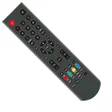
Turn your Android phone into a Mediastar television remote with Mediastar TV Remote from TechCodes, a compact utility designed as a replacement for lost or damaged physical controllers. The app sends infrared commands to change channels, adjust volume, and access settings using realistic button layouts and responsive controls without pairing. It includes multiple remote models, an in-app Request Remote feature, broad localization, and lightweight performance, making it useful for Mediastar TV owners who need an immediate backup remote.
What function does the app perform for Mediastar owners?
Mediastar converts an Android handset equipped with an infrared blaster into a working TV controller, presenting realistic remote layouts and fast button response. It supports multiple Mediastar remote models, offers color background themes, and provides localization for more than 100 languages. The in-app Request Remote option lets users request support for specific TV models that are not yet included in the database.
Does the tool depend on network access or special hardware?
The app operates offline by using the phone’s built-in IR blaster to transmit commands directly to the television; an internet connection is not required. A built-in infrared sensor is strictly required for the application to function, so devices lacking an IR emitter cannot use this control method. There is no complex pairing or cloud relay involved, it sends standard infrared codes to the TV.
Is it safe to run and how intrusive is it on devices?
The application acts as a transmitter of IR signals and does not write to the TV or phone firmware, which limits its system intrusion. It is an independent third-party app and not affiliated with Mediastar, so vendor support is not provided. The developer issues regular updates to the remote database, and the app’s lightweight design keeps storage and runtime impact low on typical devices with an IR sensor.
Do I need technical knowledge to set up and use the remote?
Non-technical users can use the app immediately because no configuration or pairing steps are required; open the app, pick a compatible layout, and point the phone at the TV. Finding the matching remote layout may require testing several included models, and the Request Remote feature offers a path to add missing models without manual programming knowledge.
Pros
- Zero-configuration setup enables immediate remote control
- Works offline using the phone’s IR blaster, no internet required
- Supports multiple Mediastar remote models and 100+ languages
- In-app Request Remote for adding unsupported TV models
Cons
- Requires built-in IR sensor; incompatible with non-IR phones
- Unofficial third-party app, not affiliated with Mediastar
- Limited to infrared control, no network or smart-TV features
Bottom Line
A practical backup remote for IR-capable owners, with a clear hardware trade-off
Mediastar TV Remote is a practical option for Mediastar television owners who need a phone-based replacement controller; its main limitation is dependence on an IR-equipped handset, which excludes many modern devices that lack an emitter. The app reliably delivers direct infrared control for immediate, in-room remote replacement, but households seeking network-based or voice-driven control should consider different approaches.
Used Mediastar TV Remote for Android?











