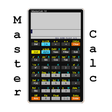
Used MC50 Programmable Calculator for Android?


MC50 Programmable Calculator Analysis

AI Assisted Content ·

Not written by CNET Staff.

MC50 Programmable Calculator is a full-featured utility designed for Android users who require advanced calculation capabilities. This app allows for the creation of programmable functions, making it suitable for complex mathematical tasks, engineering calculations, and everyday use. Users can define custom equations and algorithms, enhancing productivity and precision in various fields.

Top Recommended Alternative

The interface is user-friendly, with options for both basic and advanced users. It supports a wide range of mathematical functions, including trigonometric, logarithmic, and statistical calculations. Additionally, the app offers memory storage options for quick access to frequently used values and functions, making it a practical tool for students, professionals, and anyone in need of a reliable calculator.

Enlarged image for MC50 Programmable Calcula…
MC50 Programmable Calculator 0/4

Used MC50 Programmable Calculator for Android?


Explore More


Full Specifications

GENERAL
Release
Latest update
Version
2.31
OPERATING SYSTEMS
Platform
Android
Additional Requirements
None
POPULARITY
Total Downloads
31
Downloads Last Week
0

Report Software

Program available in other languages


Last Updated


Developer’s Description

Programmable Calculator for college, university or high school students.

Features of MasterCalc MC50:

All the features of the free version (MasterCalc MC40), are included.

For more information please see the application MasterCalc MC40.

Currently the differences between the two calculators are:

-No Advertisements.

-Programmable Calculator:

You can create and store your own programs, that can be shared with other devices. Program commands are easy to enter to implement algorithms with loops, conditional tests etc.

-Includes structured programming.

-Input Methods:

Algebraic and Entry RPN ( Reverse Polish Notation ).

-Copy, cut and paste edit functions

-Built-in "sample" programs (examples) ready to use and customize (edit).

-You can save the user's guide as an external file in your device memory.

-Customized Keys.

-You can import formulas,functions and constants stored in the model MC40.

-Backup of all the user formulas, variables, functions and constants.


Download.com
Your review for MC50 Programmable Calculator
Download.com

AI Assisted Content Disclosure

Content created and reviewed by Softonic with information obtained from Walter Stubbs, using AI.

CNET's editorial team was not involved in the creation of this content. Opinions, analysis and reviews were not provided by CNET.